 Fynq
Fynq Using Analytics to Improve Filters and Synonyms That Actually Work
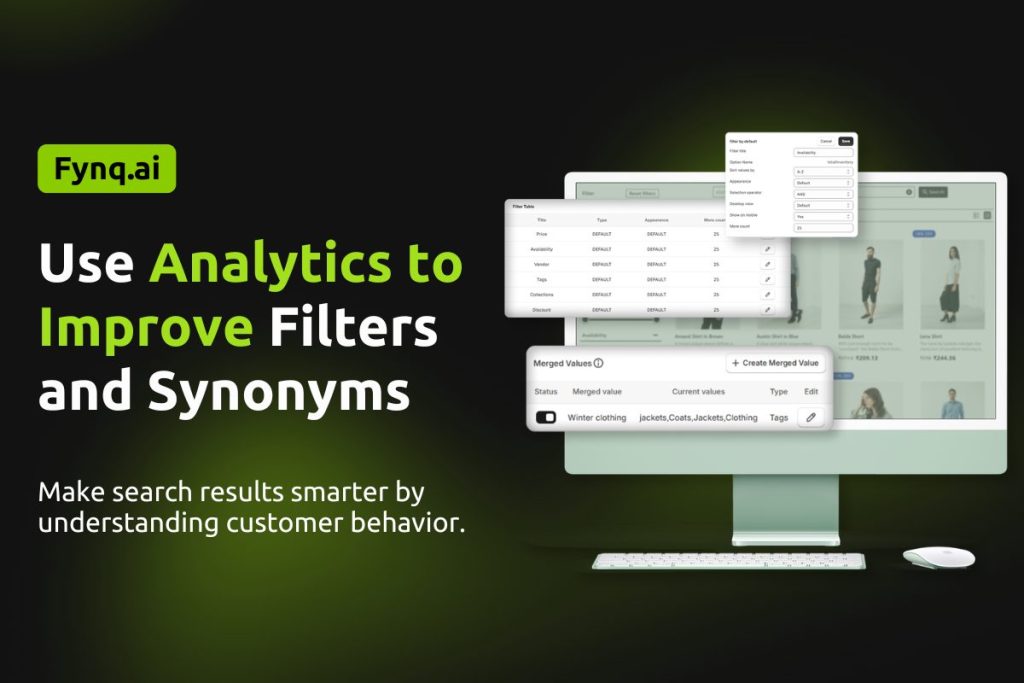
Did it ever happen to you when a customer searched for something and did not find it, just because they used a slightly different word? Or maybe they got overwhelmed by too many filter choices that didn’t make sense?
These small gaps can quietly affect conversions on your store.
That’s why Fynq doesn’t just stop at showing search results. It gives you clear feedback through its Analytics page, so you can fine-tune your filters and synonyms based on how people are actually using your store.
Table of Contents:
- Why Filters and Synonyms Matter
- Utilize Analytics to refine your synonyms
- Use Analytics to improve filters
Why Filters and Synonyms Matter
- When filters are helpful and easy to use, shoppers find products faster. When those are confusing, they leave.
- When synonyms are added practically, modified periodically based on store visitors’ behavior, search feels smart.
- Both filters and synonyms add bricks to the experience of searching. The good news is, your analytics are already showing you how to improve them.
Utilize Analytics to refine your synonyms
Start by checking the 0 Results tab in Fynq Analytics.
These are your primary checklist:
- Are there words customers are using that don’t match your product tags or titles?
- Are people using slang, abbreviations, or regional terms?
Examples:
- If customers type “tee” but you only use “t-shirt,” you need to connect the two.
- “Sneakers” vs. “trainers” might mean the same thing to different users.
What to do:
- Go to your Synonyms settings in Fynq.
- Add mappings like:
- “tee” → “t-shirt”
- “couch” → “sofa”
- “trackpants” → “joggers”
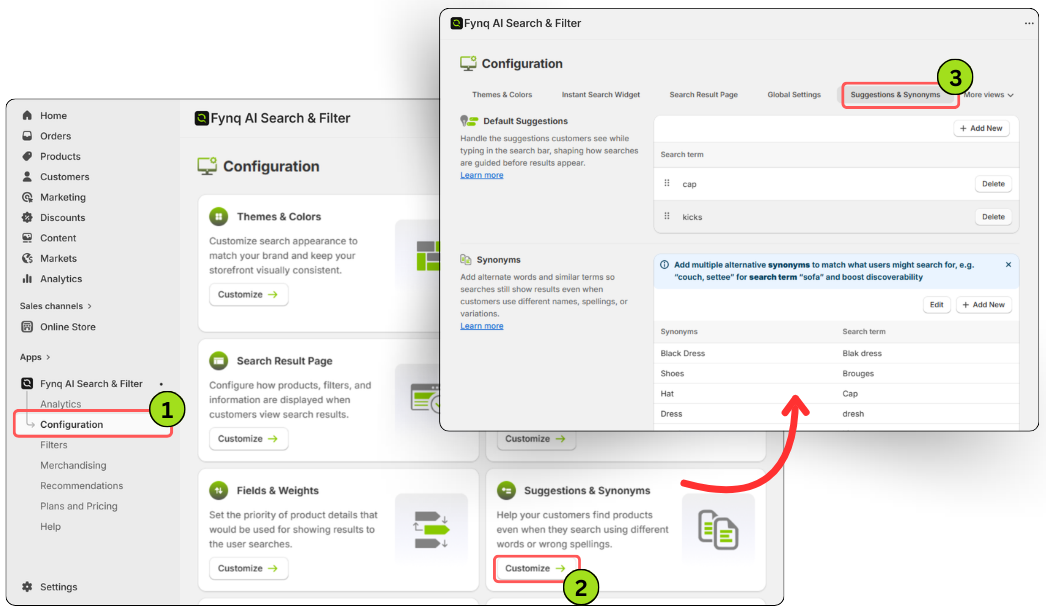
This means even if your product tags don’t match exactly, the search will still show the right items.
Use Analytics to improve filters
Now switch over to the Products Viewed and All Searches tabs.
Here you need to ask these questions:
- Are customers using search terms that return too many results?
- Are they clicking multiple filters or giving up without clicking any?
These patterns can show you some way out whether:
- Your filters need to be simplified or reworded
- Important filter options are missing
- Product tags aren’t helping filters group items correctly
What will you do?
- Use the Filter Table in Fynq’s Display Settings to clean up filter categories. Learn more about handling a filter table. Read here.
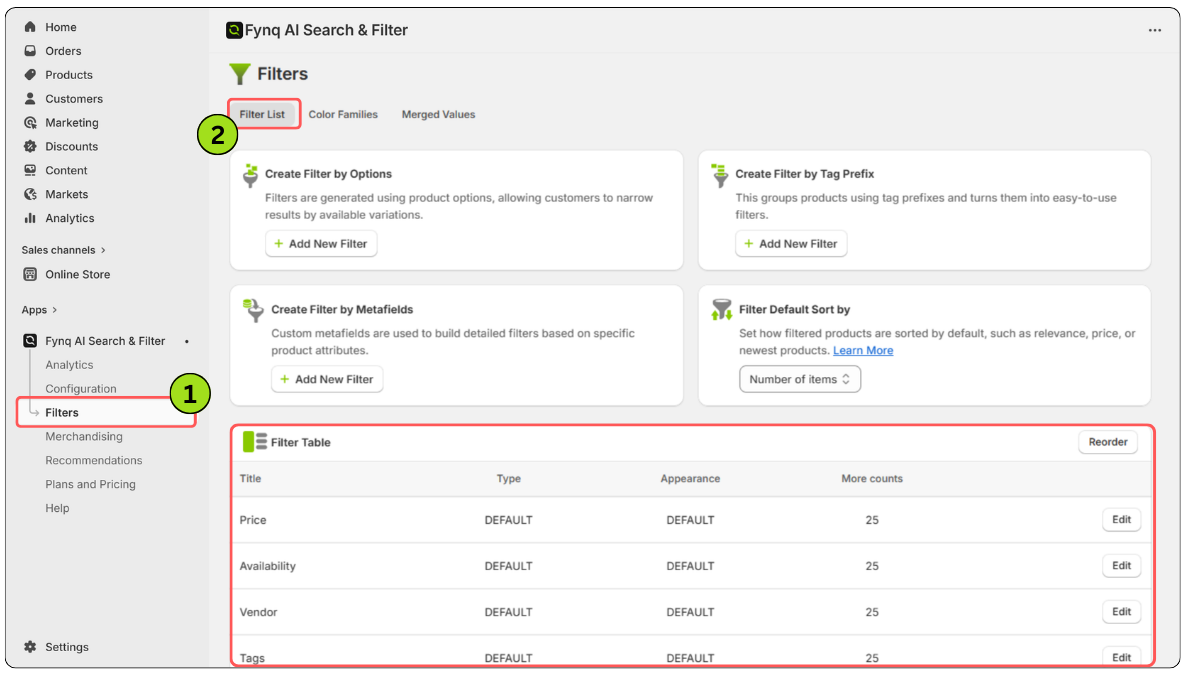
- Merge confusing or similar values (like merging same type values like ‘Small’, ‘X-Small’, ‘25’, ‘27’, ‘28’, ‘29’, ‘XSmall’ and making a unique filter named “Shorter Sizes”). Learn more about setting up merged values. Read here.
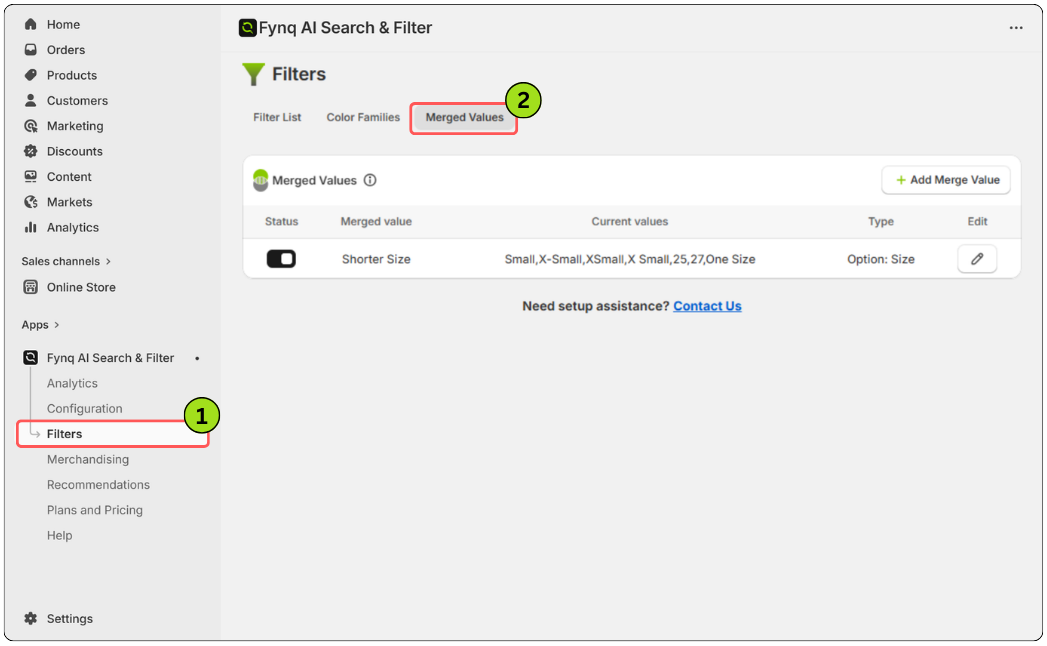
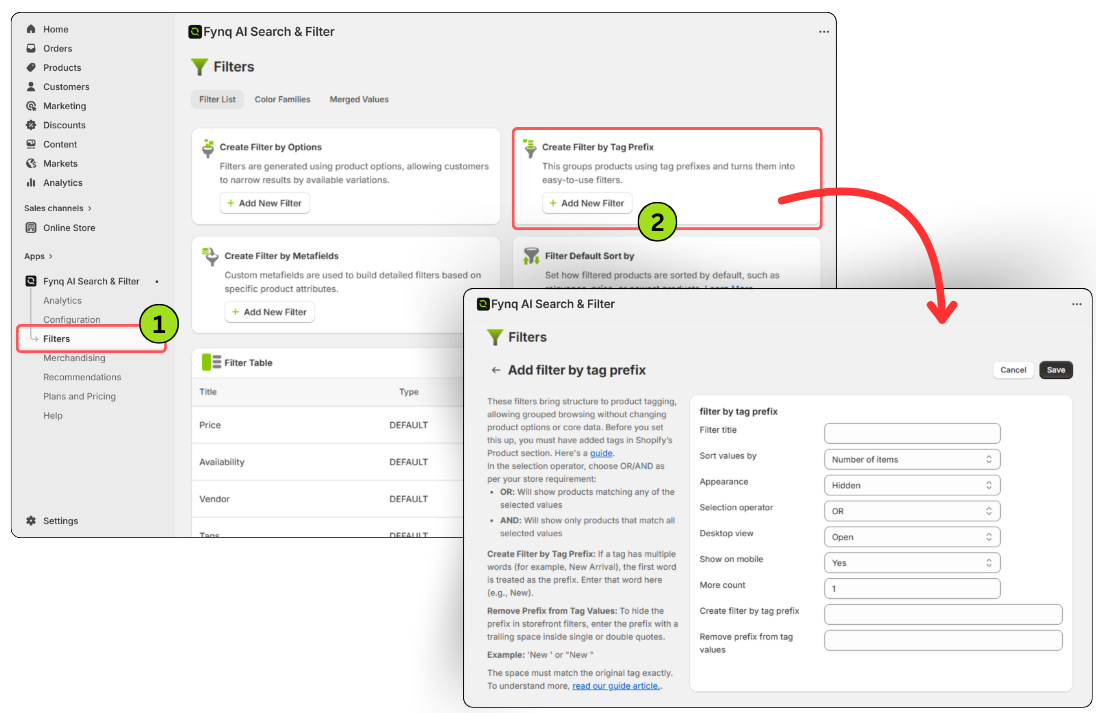
- Create tag-based rules to ensure filters match what customers are expecting. Learn more about setting up a product label using tags. Read here.
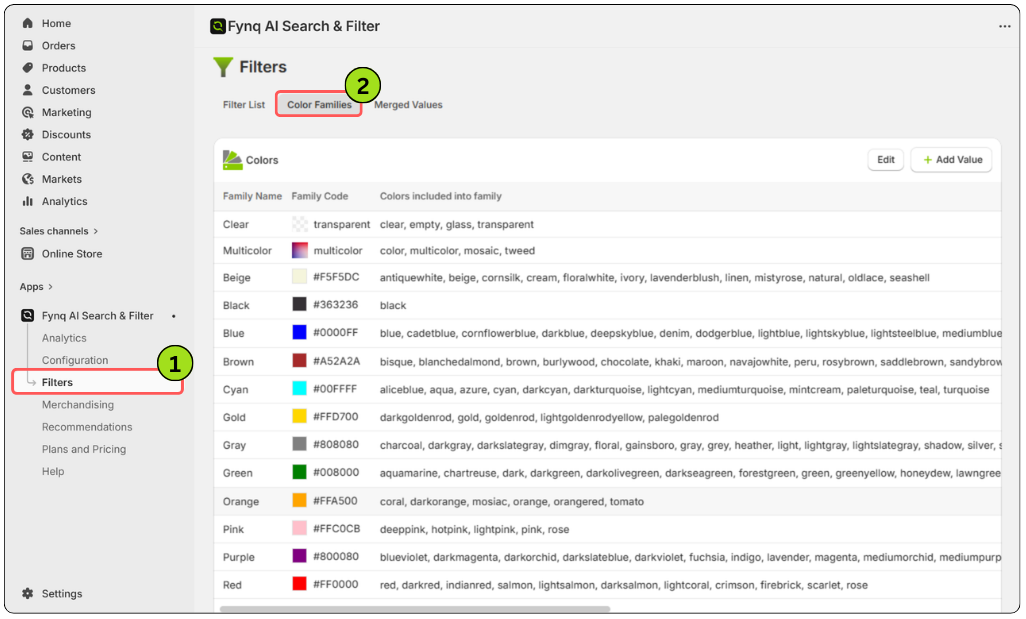
- Group colors using Color Families, so “Sky Blue” and “Royal Blue” don’t show up separately. Learn more about setting up color families. Read here.
Example in action
Let’s say users are often searching for “formal shirts,” and it returns 200+ products. If your filters don’t let them narrow by size, fabric, or sleeve length, they’ll likely leave.
Or, if you’ve labeled products with “slim fit” but people are searching “tailored,” they might not see anything relevant.
By adjusting your synonyms and making filters more intuitive, you reduce that friction and make it easier for customers to stay engaged.
Final takeaway
Good filters and synonyms feel invisible when they’re working right. The shopper doesn’t think about them; they just find what they want.
Fynq’s analytics show you the gaps, the confusion points, and the missed connections. With a few small changes, you can make your store’s search feel smarter, faster, and more in tune with how your customers actually think.
