 Fynq
Fynq Fixing ‘No Result Found’ Searches in Your Store
Every time a customer searches and sees no results, it’s a missed chance. They were looking for something specific, and your store came up empty. But instead of treating that as a dead end, Fynq lets you turn these moments into opportunities.
By paying attention to your 0-Result Searches, you can uncover what your customers wanted but couldn’t find, and take steps to close that gap.
Table of Contents:
What to look for in the 0-Result tab
Inside the Analytics page, the 0 Result tab lists all the search terms that didn’t return any products. It’s not just a list of “failures”; it’s a feedback loop.
Here’s how to make sense of it:
Are people searching for terms you don’t use?
Maybe someone searched for ‘couch’ but your products are all labeled as ‘sofa’. That’s not a product issue; it’s a language mismatch or simply a synonym issue.
NB: Fynq’s semantic search shows closely related products even when there are no exact matches. These searches won’t display “0 results” to shoppers but are still logged under the “0 Results” category in Fynq’s Analytics dashboard for performance tracking.
Are people looking for things you don’t sell at all?
This can be a discovery moment. If enough people are searching for something you don’t carry, it might be time to consider expanding your product range. Fynq helps you in doing that.
Actions you can take
In those cases where there’s no original response from your store, but Fynq’s semantic algorithm is showing most relatable products, you can take few actions to make some worthy changes to your products or inventory. To do so, follow these:
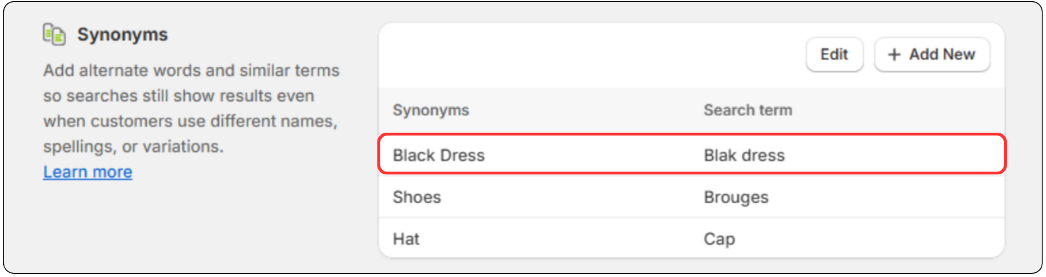
- Add Synonyms
Go to the Synonyms section (Search Configurations page > Synonyms) and match customer terms to your real product keywords. For example: ‘joggers’ = ‘track pants’. Read more in this Search Synonyms article.
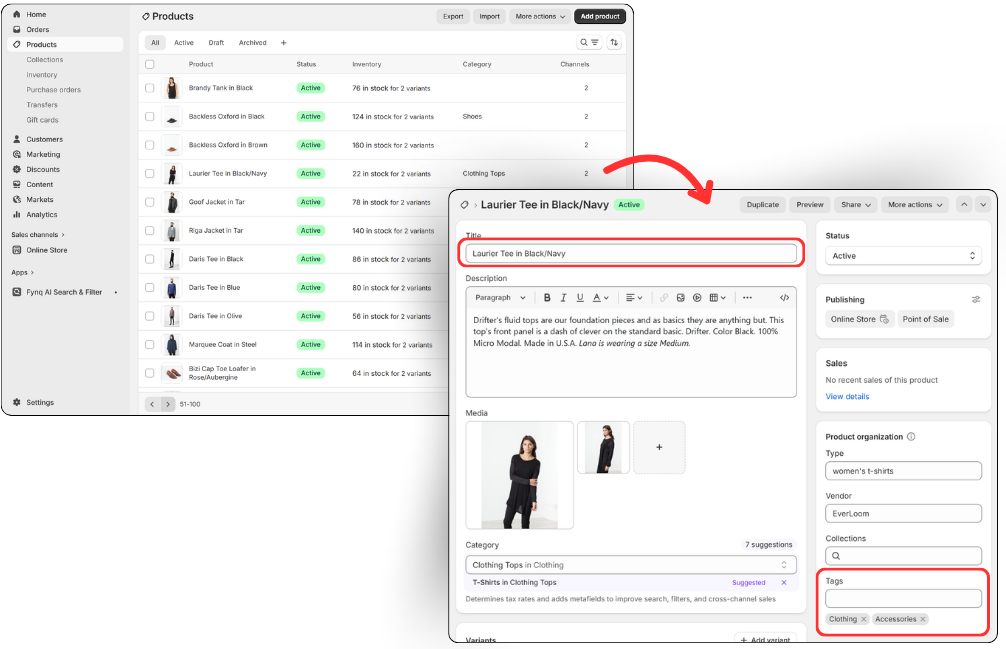
- Review Tags and Product Titles
Check if your product titles or tags include common search words. If not, update them in the Products section, so products are easier to find.
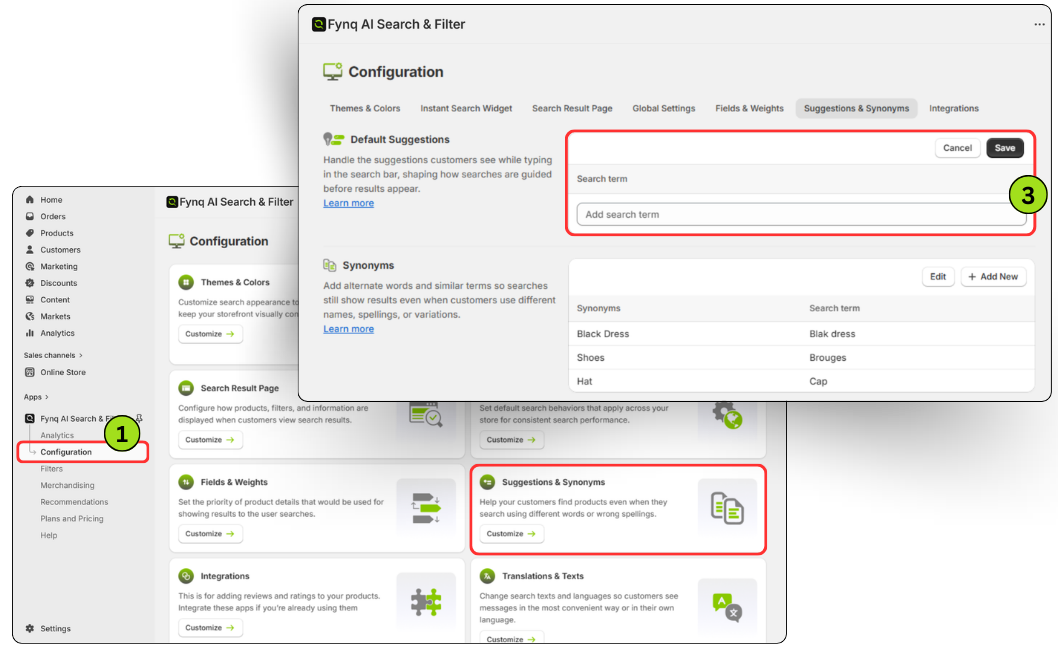
- Improve Search Suggestions
Suggest the right words or phrases when a customer types a term that might not return results. This reduces dead ends and helps guide them. Learn more about Suggestions: How to define search suggestions.
- Spot trends in what’s missing
If multiple people are searching for the same unavailable item, consider adding it or suggesting alternatives on the search page.
Final thought
“0 results” isn’t a failure. It’s a signal to work on your entrepreneurship. Your customers are telling you exactly what they’re looking for. With Fynq, you can listen to that signal and make small but powerful changes that keep people browsing instead of bouncing.
