 Fynq
Fynq How Redirect Merchandising Guide Shoppers Beyond Search Results
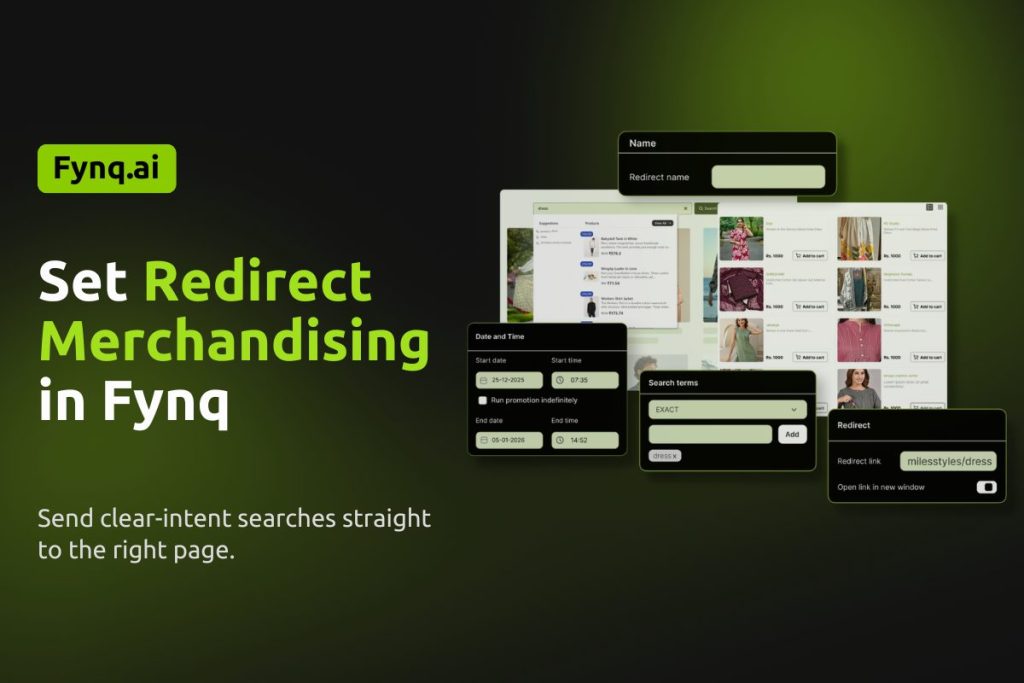
Merchandising Redirect is available only for stores on the Standard2K plan or above. The only merchandising strategy available to stores with Free and Basic (all three tiers) is Product Labels.
What Is a Redirect?
Not every search needs a list of results. Sometimes, showing multiple products only slows shoppers down. Redirect Rules help you guide shoppers directly to the most relevant page when search intent is clear.
This strategy removes unnecessary steps from the journey. Shoppers reach what they want faster, which often leads to better conversions and less drop-off.
When Redirect Rules Create the Most Value
Redirect Rules work best when a search term points strongly to a single destination. Instead of making shoppers scan and compare, you take them straight to the page that answers their intent.
Merchants use Redirect Rules when:
- A search term matches a single product or collection
- Brand or campaign searches need a clear destination
- External pages provide better context than search results.
Where to Find the Merchandising Redirect in Fynq App?
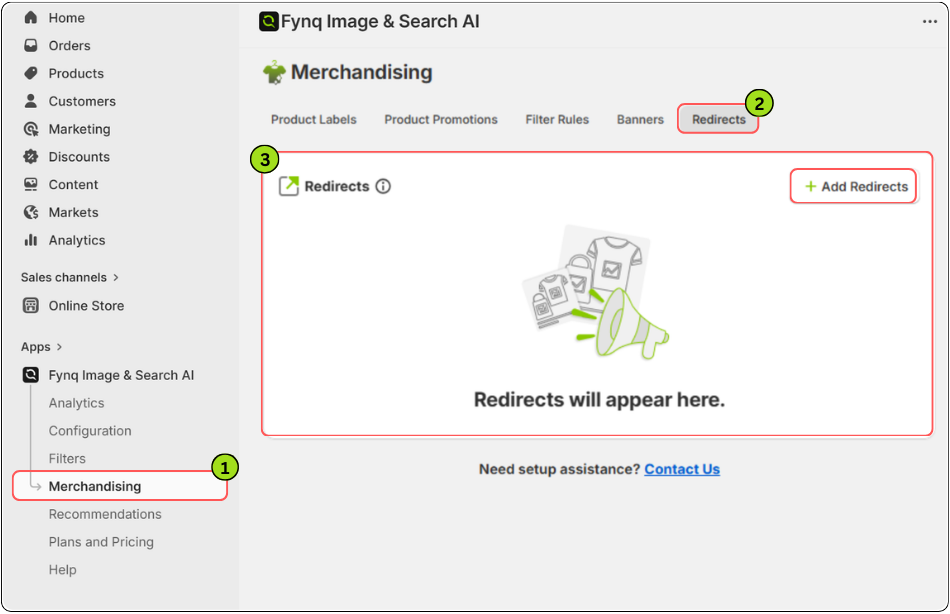
The Merchandising section in the Fynq app is where you manage all search-based promotions and controls. Each merchandising strategy has its own dedicated tab, making it easy to set up and manage independently.
To access Merchandising in the Fynq app:
- Open the Fynq app
- Go to Merchandising from the left side menu
- Now, come to the tab: Redirects
- Click +Add Redirects to proceed.
Before You Start
Each Redirect Rule:
- Runs based on UTC date and time
- Uses ANY, EXACT, or INCLUDES search term logic
- Supports redirecting to product pages, collection pages, or external links
- Allows a maximum of 20 active redirects
Redirected search terms are visible only in the instant search widget and do not show a traditional search results page.
Step-by-Step: How to Set Up a Redirect Rule
Step 1: Add a Redirect Name
Enter a clear Redirect name. This helps you identify the rule later, especially when managing multiple redirects for different campaigns or brands.
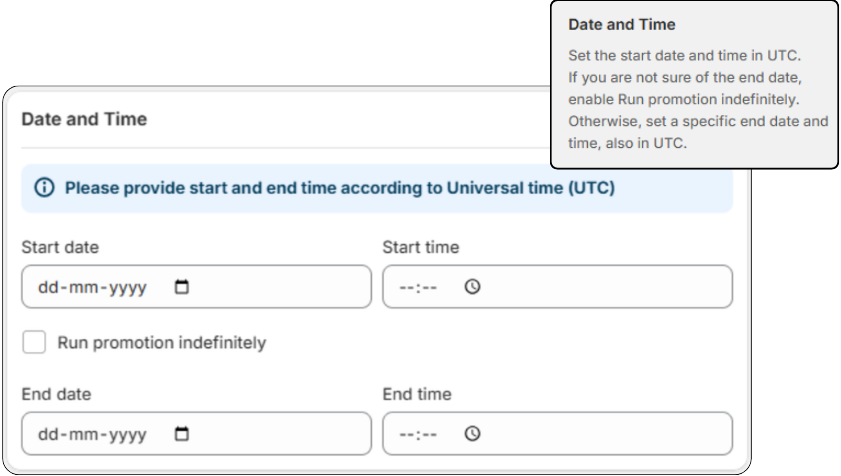
Step 2: Set the Redirect Schedule
Set the start date and time in UTC.
If you do not know when the redirect should end, enable Run promotion indefinitely.
Otherwise, define an end date and time, also in UTC.
Step 3: Define Search Terms
Choose how the redirect should trigger:
- EXACT
Redirects only when the shopper searches for the exact term.
Example: “size chart” redirects, but “shirt size chart” does not. - INCLUDES
Redirects when the search term contains your keyword.
Example: Searching “brand DD shoes” triggers a redirect for “DD”.
Choose carefully, as this decides how broadly the redirect applies.
Step 4: Add the Redirect Link
Enter the Redirect link where shoppers should land. This can be:
- A product page
- A collection page
- An external page
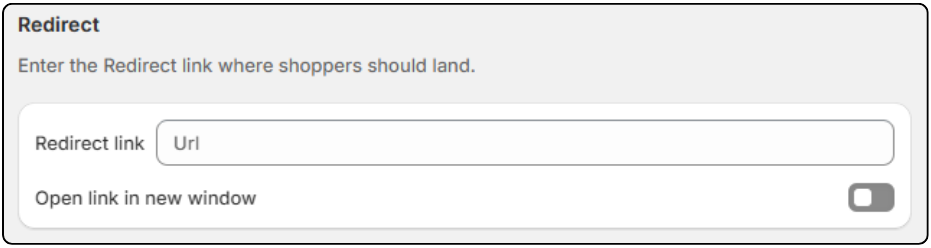
You may enable the option to open the link in a new window if required.
Step 5: Save the Redirect Rule
Save the rule. It will activate automatically based on the schedule and search conditions you defined.
Practical Use Case
Remove Choice to Increase Conversions
Suppose you sell a single flagship product that shoppers often search for by name. When they search, seeing multiple results only creates doubt.
You create a Redirect Rule for that product name. Now, shoppers searching for it land directly on the product page. The journey becomes instant and focused. Fewer steps lead to faster decisions and higher conversion rates.
Redirect Brand Searches Across Stores
Suppose you own two brands, ‘BB’ and ‘DD’, each with its own store. Through marketing, shoppers learn about both brands, but sometimes search for ‘DD’ products on the ‘BB’ store.
Instead of showing irrelevant results, you set a Redirect Rule. When shoppers search for ‘DD’ on the ‘BB’ store, they are redirected to the ‘DD’ store automatically.
This avoids confusion and creates a smoother brand experience across stores.
Things to Keep in Mind
- Avoid using redirects for broad or exploratory searches
- Ensure the redirect destination clearly matches the search intent
- Review redirects regularly to avoid broken or outdated links
Redirect Rules are a powerful and advanced merchandising tool. When used correctly, they simplify search and respect shopper intent. Besides using the other merchandising strategies, they help create a faster and more confident buying experience.
Learn Fynq’s other merchandising strategies:
Read More: ⏩ How to Use Product Promotions
Read More: ⏩ How Filter Rules Work
Read More: ⏩ How to Create Search Banners
Read More: ⏩ What are Product labels
