 Fynq
Fynq How to Use Product Promotions to Boost Specific Products in Search
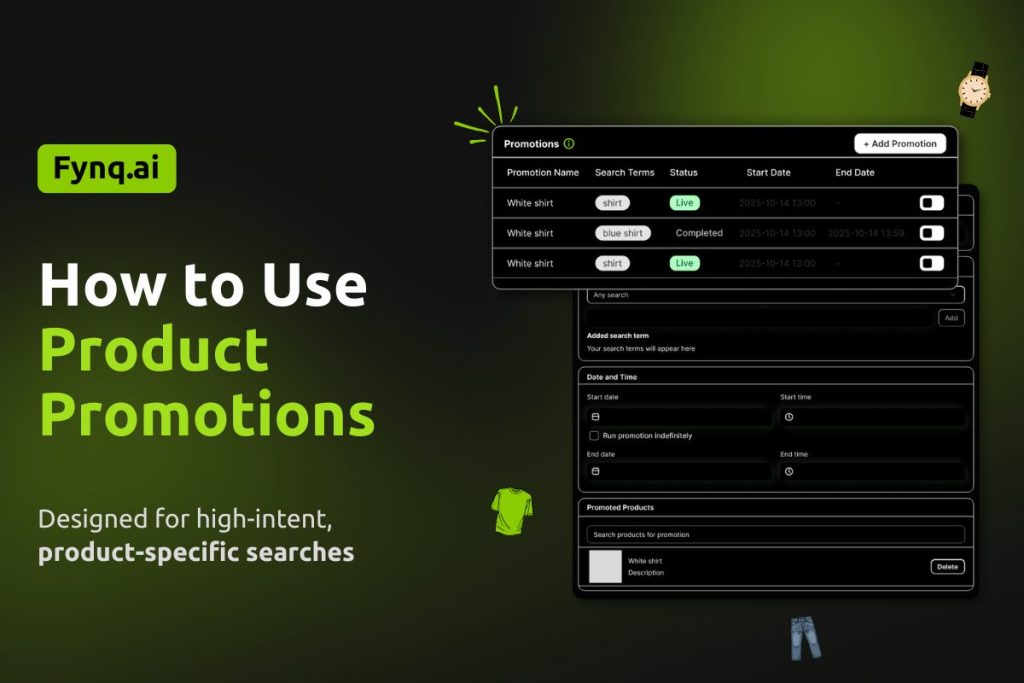
Product Promotion (Merchandising) is available only for stores on the Standard2K plan or above. The only merchandising strategy available to stores with Free and Basic (all three tiers) is Product Labels.
Product Promotions are the most direct way to influence search results in Fynq. They allow you to promote selected products when shoppers search for specific terms, ensuring those products appear with higher priority.
This strategy is powerful because it works at the moment of strongest intent. When shoppers search, they are ready to decide. Product Promotions help you guide that decision toward products that matter most to your business.
Where to Find the Product Promotion in Fynq App?
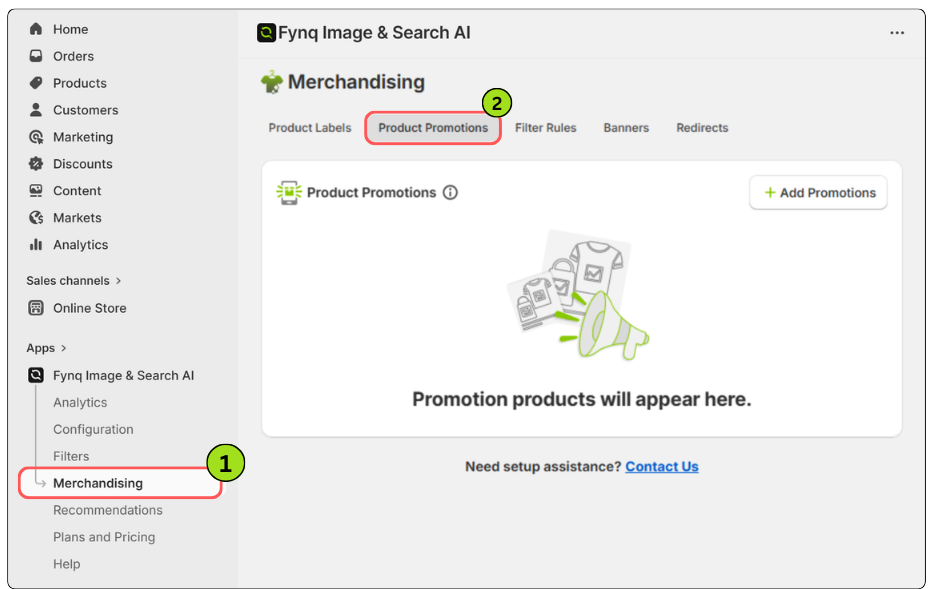
The Merchandising section in the Fynq app is where you manage all search-based promotions and controls. Each merchandising strategy has its own dedicated tab, making it easy to set up and manage independently.
To access Merchandising in the Fynq app:
- Open the Fynq app
- Go to Merchandising from the left side menu
- Now, come to the tab: Product Promotions
- Click on +Add Promotions
When Product Promotions Work Best
Product Promotions are ideal when search intent is clear and focused. If a shopper searches for something specific, showing them the most relevant or profitable product first can significantly improve conversion chances.
This strategy is commonly used to:
- Promote best-selling or high-margin products
- Highlight new launches or featured items
- Control visibility during campaigns or sales
Before You Start
Each Product Promotion:
- Runs based on UTC (Universal Time Coordinated) date and time
- Can include up to 20 products
- Allows a maximum of 20 active promotions
- Works based on selected search term matching logic
These limits apply to every store and should be planned carefully.
Step-by-Step: How to Set Up a Product Promotion
Step 1: Add a Promotion Name
Enter a clear and descriptive Promotion name. This name is only for internal use and helps you identify the promotion later, especially when managing multiple campaigns.
Step 2: Define Search Terms
Choose how the promotion should match shopper searches. You have three options:
- ANY
The promotion appears for all search terms. No keyword is required. - EXACT
The promotion appears only when the shopper searches for the exact term you enter.
Example: Searching “running shoes” triggers the promotion, but “men running shoes” does not. - INCLUDES
The promotion appears when the search term contains your keyword.
Example: Searching “red running shoes” triggers a promotion for “running”.
Choose this carefully, as it controls how broadly your promotion appears.
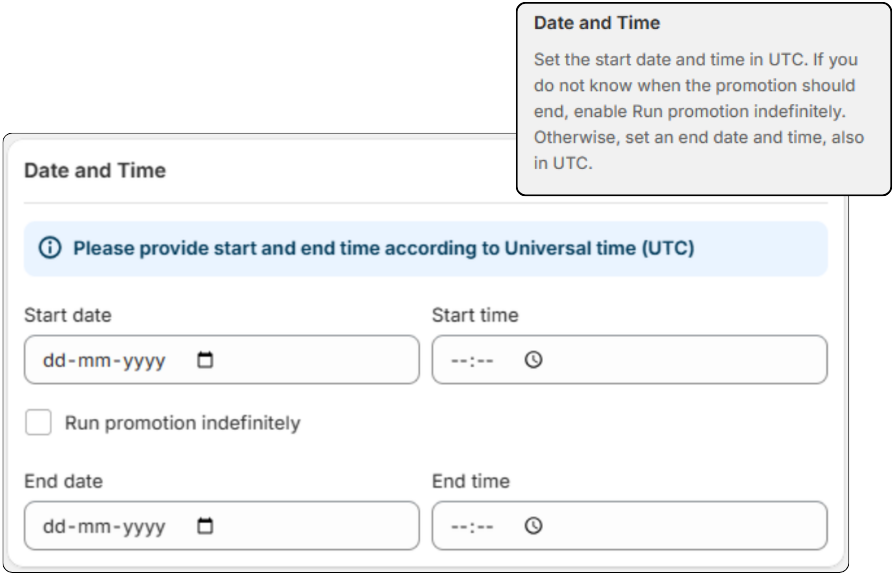
Step 3: Set the Promotion Schedule
Set the start date and time in UTC.
If you do not know when the promotion should end, enable Run promotion indefinitely.
Otherwise, set an end date and time, also in UTC.
This ensures promotions start and stop exactly when intended.
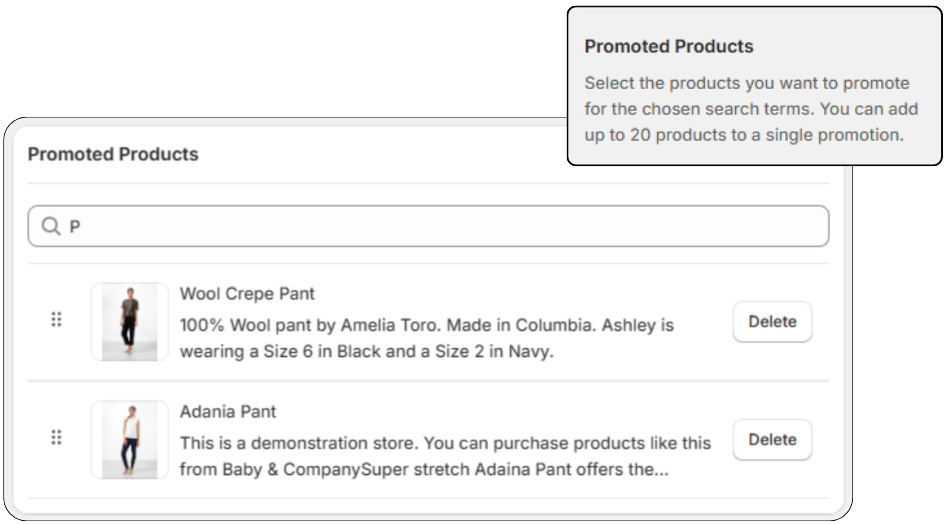
Step 4: Add Promoted Products
In the Promoted Products section, select the products you want to promote. You can add up to 20 products to a single promotion.
These products will receive priority visibility whenever the promotion conditions are met.
Step 5: Save the Promotion
Once all details are added, save the promotion. It will automatically run based on the schedule and search conditions you defined.
Practical Use Case: Turning Popular Searches Into Sales
Suppose you run an apparel store and notice that “black jacket” is one of your most searched terms. You have several jackets, but only two of them convert consistently and generate higher margins.
Without Product Promotions, shoppers see many similar jackets and hesitate. Some leave without buying.
You set up a Product Promotion for the search term “black jacket” and promote your top two performers. Now, when shoppers search, those jackets appear first. The choice feels simpler. Confidence increases. Conversions improve.
This is how Product Promotions help you turn search traffic into predictable revenue.
Another Common Scenario
Suppose you recently launched a new product and want it to gain traction quickly. You know shoppers are already searching for related terms.
By promoting the new product against those search terms, you give it immediate visibility without waiting for organic performance to build. This accelerates discovery and helps validate demand faster.
Things You Should Keep in Mind
- Avoid promoting too many products at once. Focus keeps results effective.
- Use EXACT or INCLUDES carefully to avoid showing promotions for irrelevant searches.
- Review promotions regularly to ensure they still align with inventory and goals.
Learn Fynq’s other merchandising strategies:
Read More: ⏩ What are Product Labels
Read More: ⏩ How Filter Rules Work
Read More: ⏩ How to Create Search Banners
Read More: ⏩ How Redirect Rules Work
