 Fynq
Fynq Key Features & Capabilities of Fynq in a Nutshell
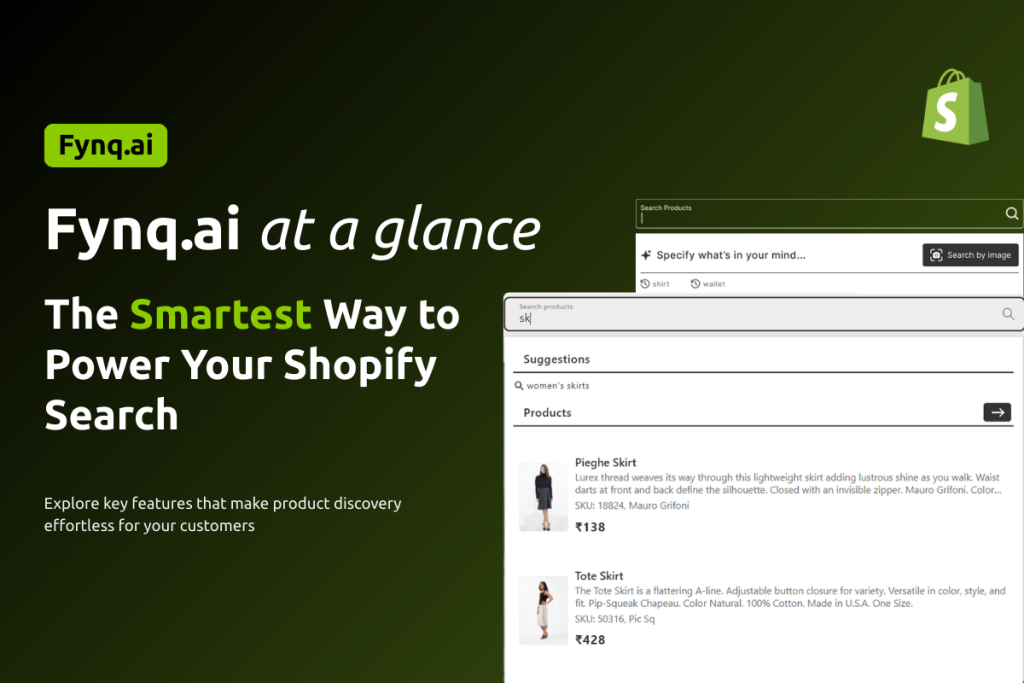
Let’s confess it: Shopify gives you a beautiful storefront, but when it comes to search, filtering, and product recommendations, many stores still feel clunky. That’s where Fynq.ai steps in, giving your online store the superpowers it deserves, without needing a developer.
In this article, we’ll walk you through the key features of Fynq, the reasons why Fynq should be there with your eCommerce store in Shopify. Know exactly what’s possible, and where to find each feature inside the app.
Table of Contents
- Instant Search That Feels Like Google
- Semantic & Smart Search
- Personalized Product Filters
- Product Recommendations That Work for You
- Customization & Branding
- Built-in Analytics
- Your Search Page SEO-optimized
Instant Search That Feels Like Google
As soon as your customer types a few letters, Fynq’s Instant Search Widget (ISW) kicks in. It auto-suggests products, categories, and even recent searches (provided you enable them all from Fynq beforehand) — all lightning-fast.
Why it matters: Reduces friction and helps customers find products before they even finish typing.
Explore in Admin: Configuration → Instant Search Widget
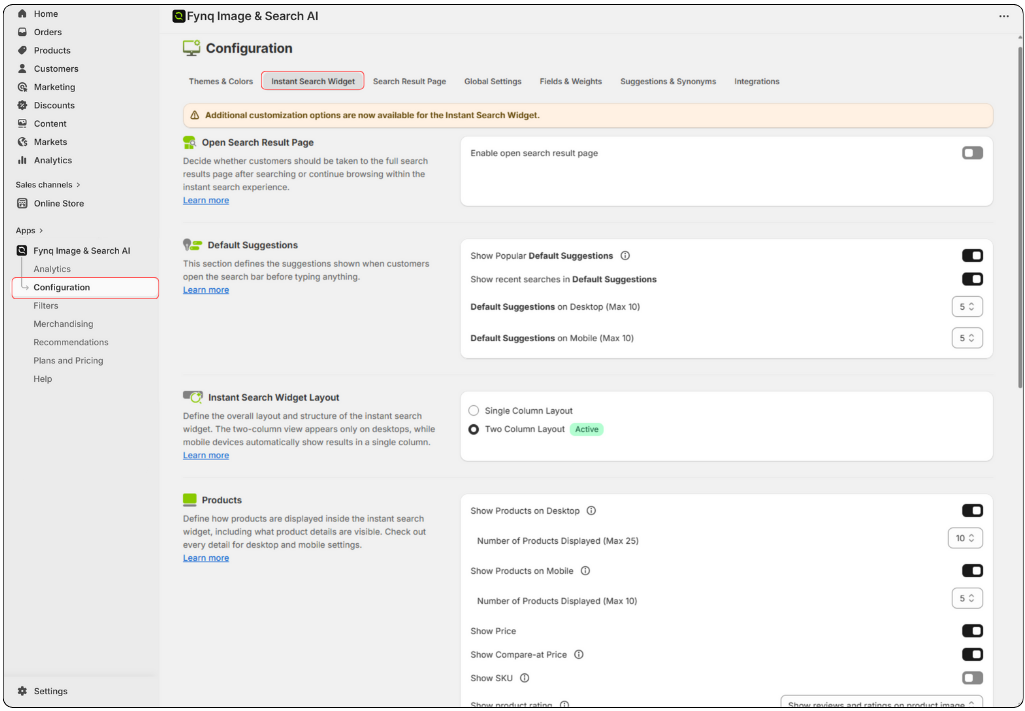
To know more about how to navigate, go through these articles: Instant Search Widget Settings
Semantic & Smart Search
It’s no more basic keyword matching that a customer expects. Hence for each searches from your customers, Fynq understands:
- Context,
- Synonyms,
- Intent
Moreover, you can assign weight to specific product fields and use fallback logic to prevent “no results” scenarios. If a customer even has a typo in search terms, Fynq takes the headache and shows the most suitable results.
Why it matters: Increases relevancy, so even vague or misspelled queries bring up helpful results.
Explore in Admin: Configurations → Fields & Weights, Suggestions & Synonyms, and Integrations
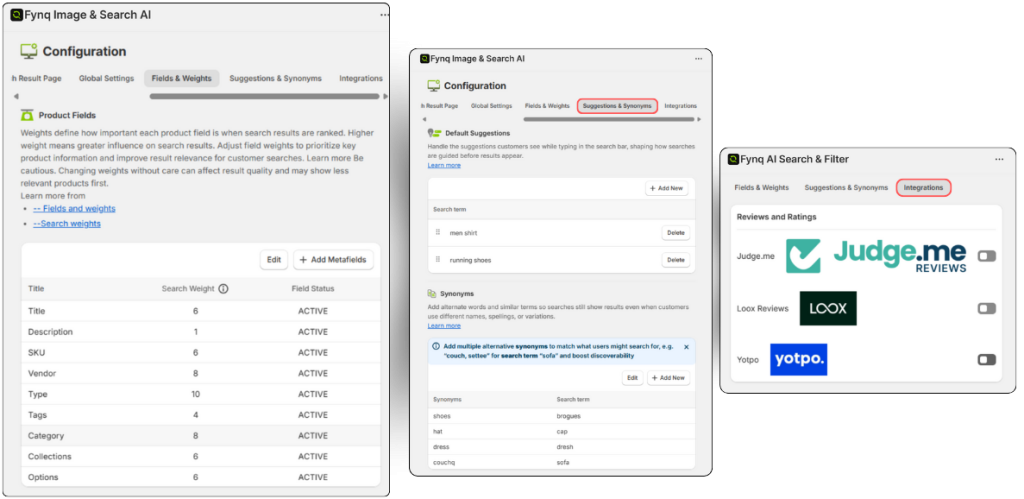
To know more how to navigate, go through this article: How to Assign Weight to Different Searchable Product Fields in Fynq?
Read more detailed guide on Suggestions and Synonyms here.
Personalized Product Filters
Filters make the customers happy and believe in the good management of your store. Especially if your store has a higher number of products, the probability grows that your potential customer may overlook what they are looking for and eventually go to some other seller (which Fynq doesn’t want)!
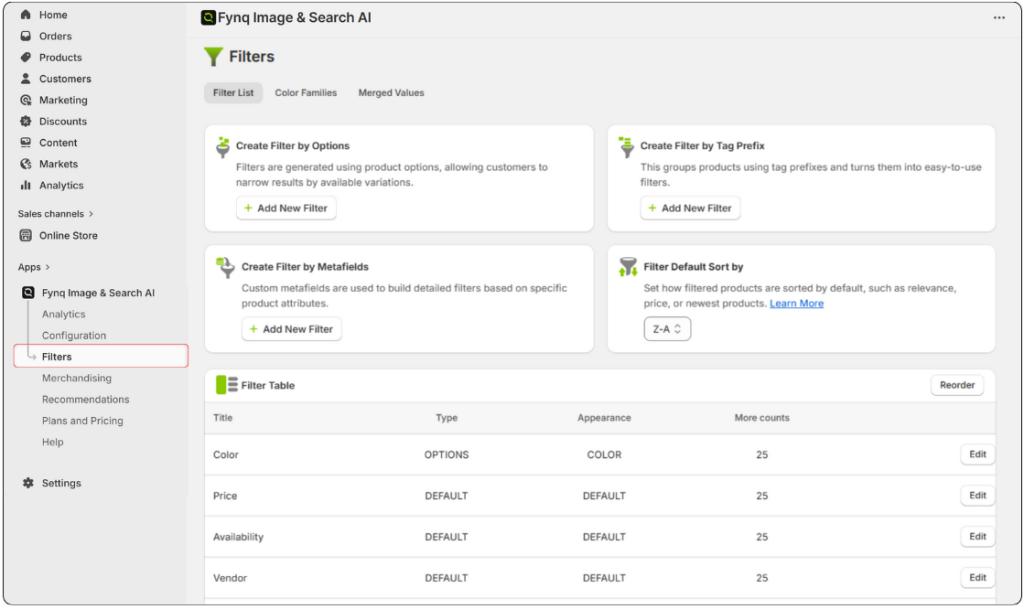
That’s why Fynq builds powerful, layered filters by tag, option, metafield, or color. You can merge similar values and control what appears on collection pages. Don’t worry, no code needed. Moreover, you can choose the Filter position layout (suppose, on the left side or at the top) and you can do some more customization by showing product count, or applied filter tags, and so on. Fynq gives you the superpower to add filters (other than the default ones) by options, prefix, metafields, and sort-by.
Why it matters: Makes browsing easier and increases time on site.
Explore in Admin: Filters → Filter List, Color Families, Merged Values
Product Recommendations That Work for You
Recommendations are the best part of selling more (upselling or cross-selling). We agree that adding recommendations is a big headache, especially if your store with thousands of products.
That’s why Fynq, with the help of AI, recommends your customers the products based on intent, browsing behavior, or logic you define. Show similar items, trending picks, or upsells — right where it counts.
Why it matters: Boosts cross-selling and increases average cart value.
Explore in Admin: Recommendations
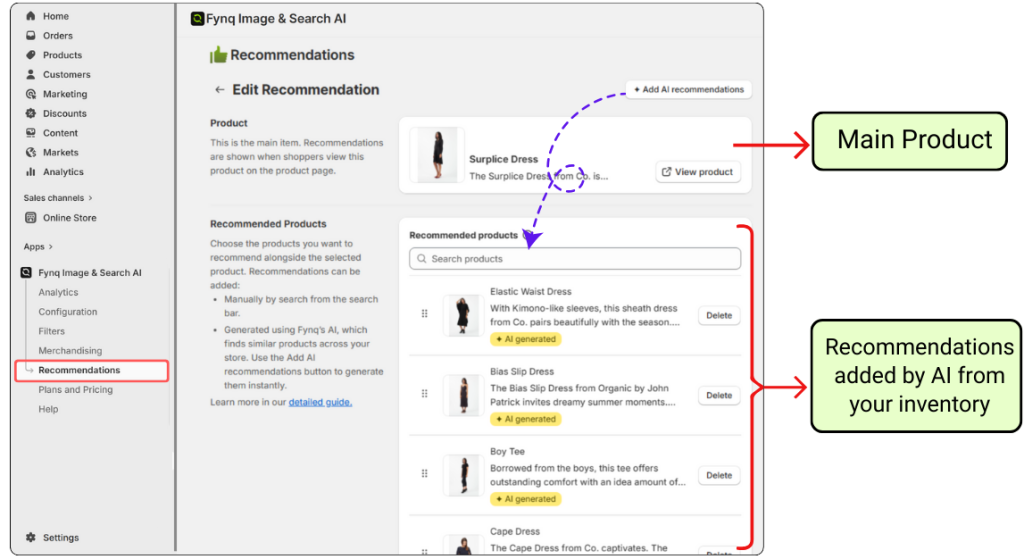
To know more about how to navigate, go through this article: How to Set Up Product Recommendations in Fynq
Customization & Branding
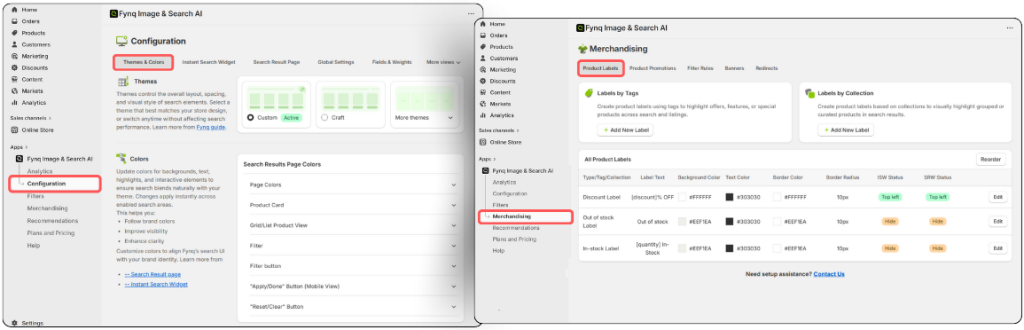
Looks matter – when it comes to an eCommerce store. Match the look of Fynq’s widgets to your store with control over colors, layout styles, and themes. Whether it’s the Instant Search Widget or Search Result Page, it fits right in.
Explore in Admin:
- Configuration → Themes & Colors
- Merchandising → Product Labels
Built-in Analytics
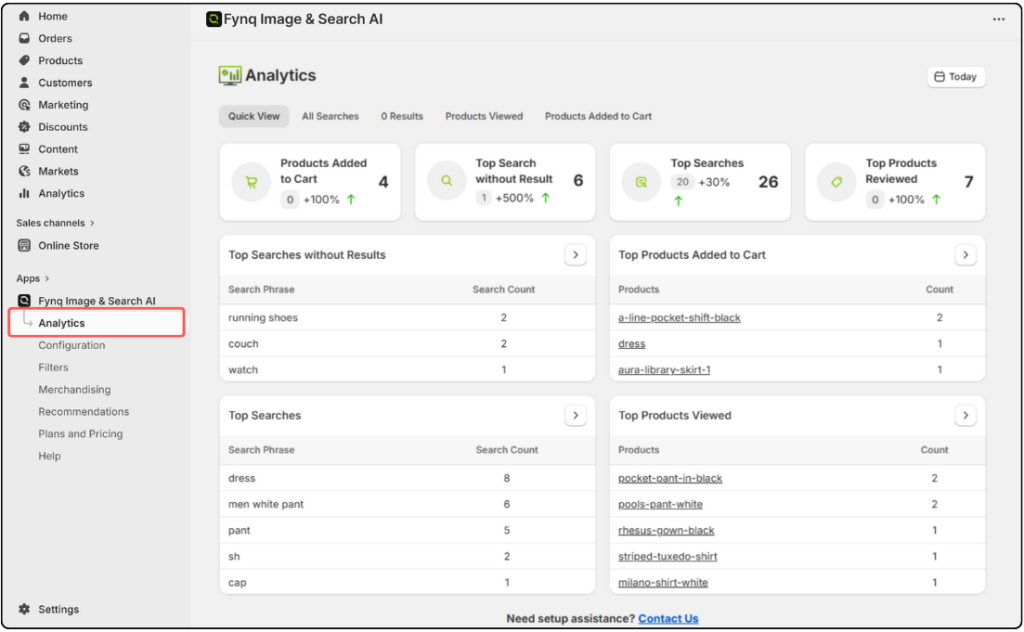
Looking behind your scorecard is important. It’s your performance, how your store is going, what your customers are searching for, is your inventory ready to meet the needs of your customers, are you missing profitable deals, and so on.
Here is Fynq. The app tracks what customers are searching for, what they’re not finding, and what products they’re interacting with — all in one dashboard.
Why it matters: Helps you improve your search and product strategy over time.
Explore in Admin: Analytics Page
Ensure Your Search Page SEO-optimized
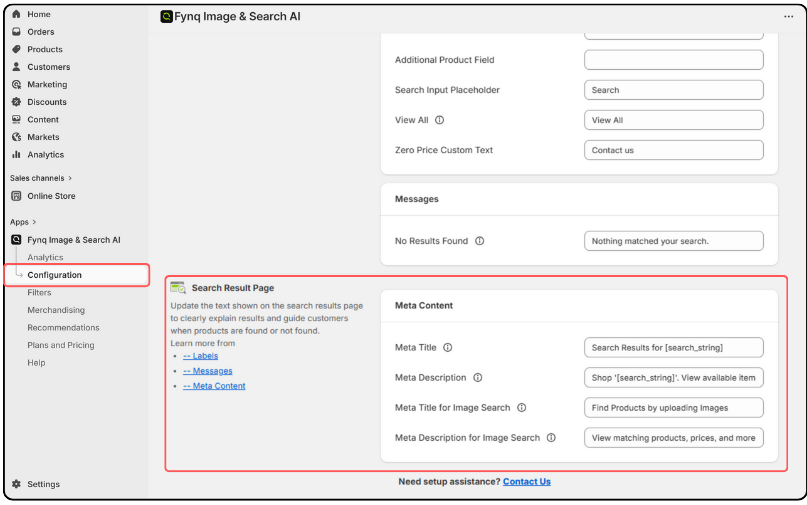
Show your search result page ranked on search engines with the right meta content. You can write the Meta title and description for the term search and image search. This is the exclusive feature you get with Fynq Image & Search AI.
The action in the Fynq admin panel looks like: (Configuration > Texts & Translations > Search Result Page > Meta Content):
Wrap-Up: All-in-One Discovery Engine for Shopify
Fynq isn’t just a search bar upgrade. It’s your search, filter, recommendation, and analytics system rolled into one. Easy to use, endlessly customizable, and built for Shopify from the ground up.
Whether you’re a solo merchant or running a large team, Fynq helps your customers find more and buy more — all with just a few clicks from your admin panel.
