 Fynq
Fynq How to Enable Two-Column Layout in Instant Search Widget?
Every store like yours has a search bar. But not every search bar gives customers fast answers. That’s where Fynq’s Instant Search Widget steps in.
Table of Contents:
As soon as a shopper starts typing like “white sneakers” the Instant Search Widget pops up, right under the search bar. It shows product suggestions immediately, even before the customer finishes typing. No clicking. No waiting. This little tool is powerful. It helps people find what they want fast, and makes your store feel smooth and smart.
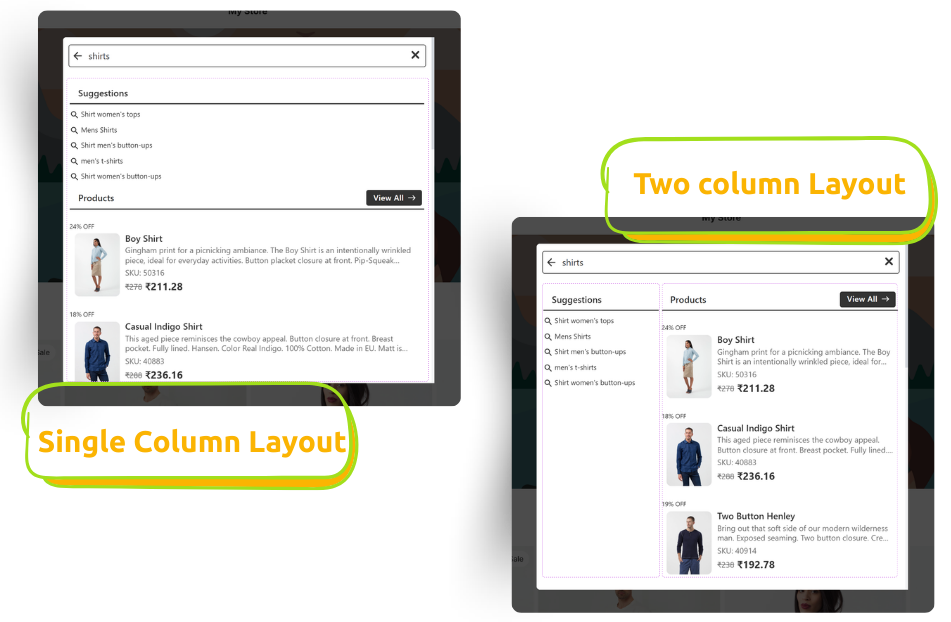
There are two main ways to show the products inside this widget:
- Single Column Layout – products are listed one under the other.
- 2 Column Layout – products appear side by side in two neat columns.
Why the Two Column Layout Feels Good to Shoppers
The two-column option uses space better on the desktop view.
Instead of showing just a few items in a long list, it shows more options at once, side by side. That means:
- Less scrolling for your customers
- A quicker view of your product variety
- A cleaner, more modern look
If your store has lots of products or a strong visual style, this layout can feel more like a mini storefront right inside the search bar.
NB: The Two column layout is available for desktop view only. On mobile devices, the Instant Search Widget will automatically display results in a single-column layout to ensure optimal readability and usability.
How to turn it ON in Fynq
Turning it on takes just a few seconds only.
- Open the Fynq app.
- Go to Configuration → Instant Search Widget.
- Scroll down to the Instant Search Widget Layout section.
- Choose “Two Column Layout” from the layout options.
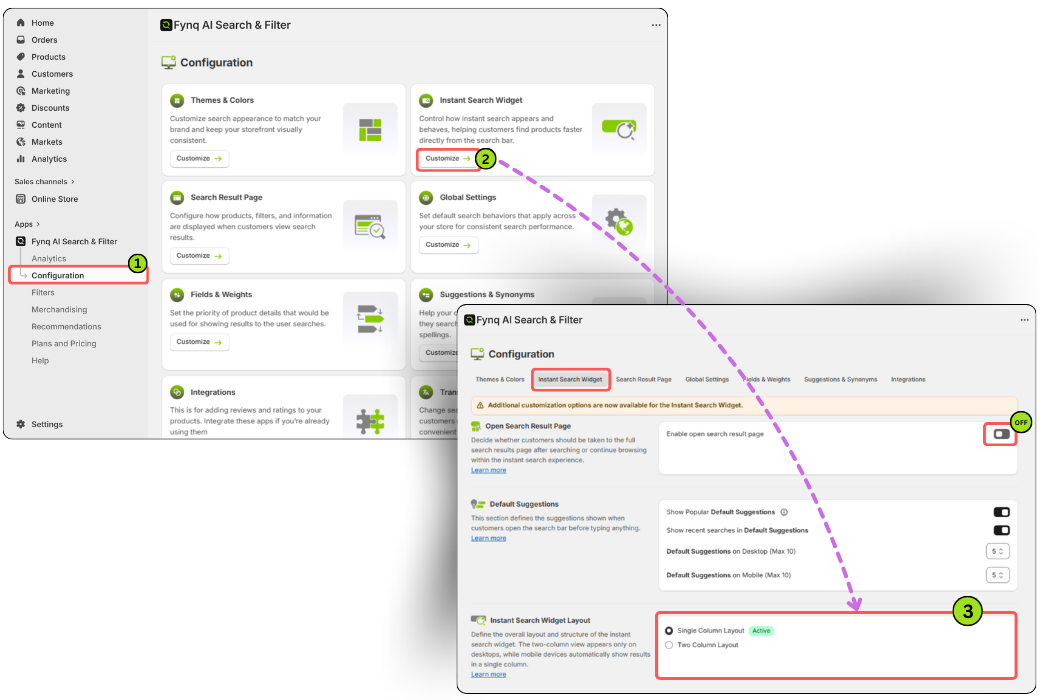
That’s it, you’re done. Once you pick it, Fynq will apply the layout, and you’ll see a greenish ‘Active’ label next to your choice.
NB:
If you have chosen to enable Instant Widget to Open Search Result Page, then this setting (of choosing single or double column layout) won’t work or reflect on storefront.
Wrap-up
Search should feel fast and effortless. With the Two column layout, your store’s search bar becomes a window to more products and suggestions alongside. Try it out and see how much more helpful (and beautiful) your search can look with just one setting.
