 Fynq
Fynq How to Enable Open Search Results Page in Fynq
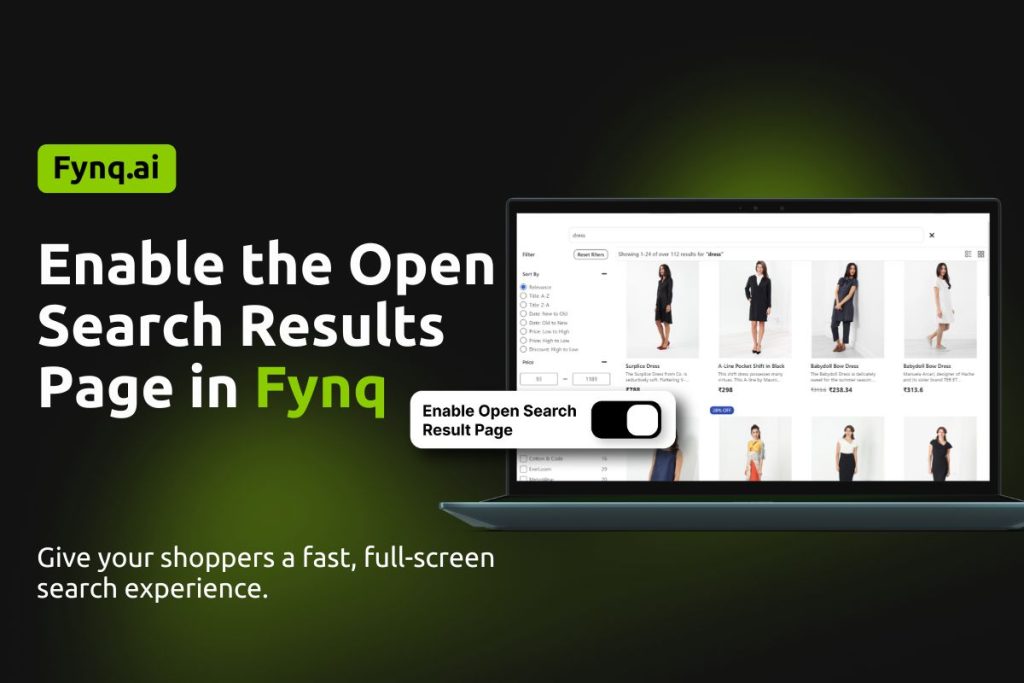
Suppose a customer starts typing in your search bar. They’re looking for “black jacket.” Normally, they’d see a small dropdown showing a few product suggestions, that’s the Instant Search Widget.
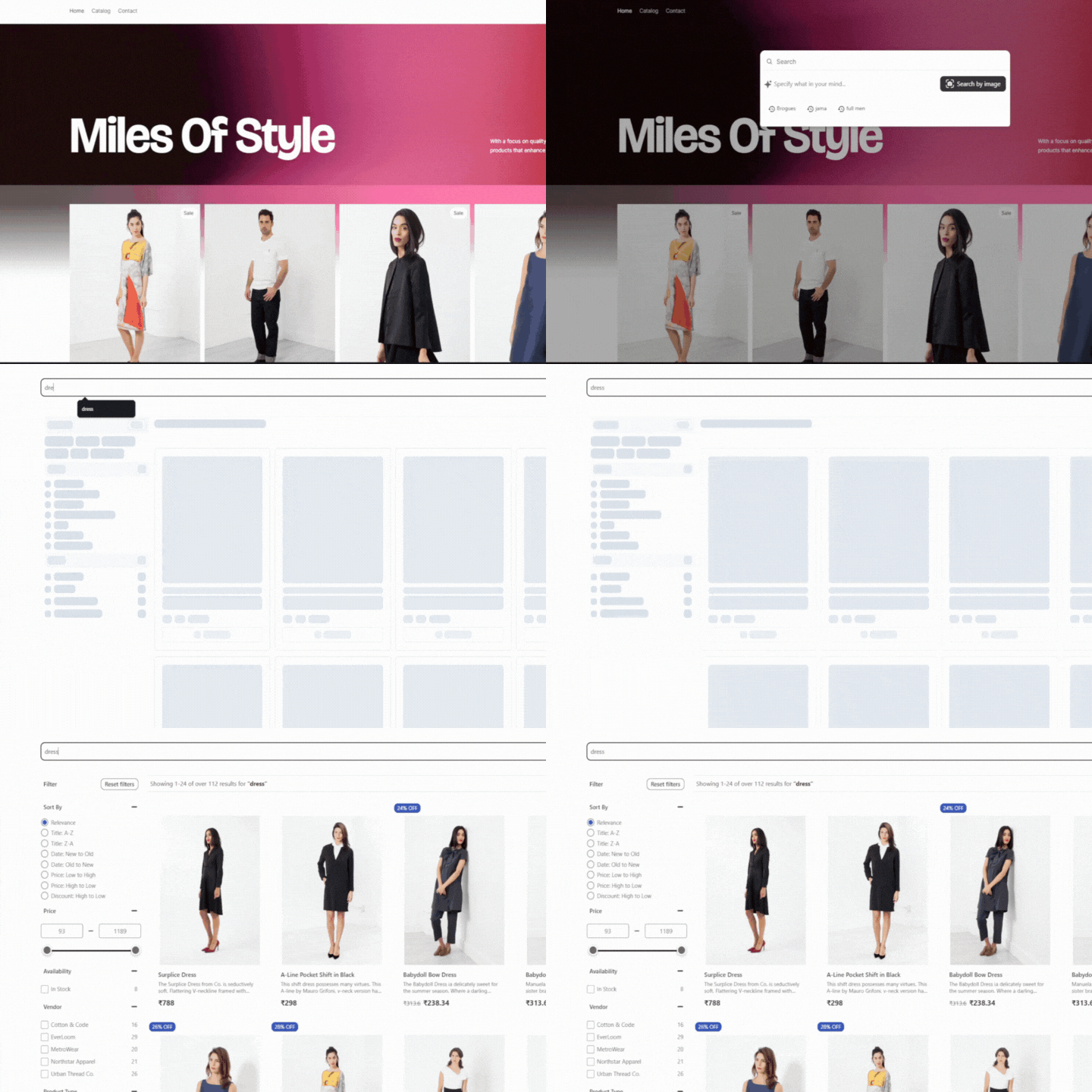
But what if, instead of just a dropdown, the entire screen becomes a search results page the moment they type? No page reload. No delay. Just a full-screen, live-updating search experience.
That’s what we call the Open Search Results Page.
It takes everything great about Instant Search: fast, reactive results, and stretches it across the whole page. It looks and feels like your regular Search Results Page, but with instant updates as the shopper types or filters. It’s full-size, full-function, and fully live.
Table of Contents:
Why Buyers Love Open Search Results Page?
This setup feels modern, smooth, and natural. Customers don’t have to jump between two different search experiences; it’s all one flow.
Here’s what makes it powerful:
- The page loads instantly without refreshes.
- Results update in real-time as shoppers type or use filters.
- It keeps the store feeling fast, professional, and well-designed.
It gives your store a premium, app-like feel without needing a developer.
How to Turn the Open Search Results Page ON in Fynq?
You can switch it on with one quick toggle:
- Open the Fynq Image & Search AI app.
- Go to Configuration → Instant Search Widget tab.
- Find the first option called “Open Search Result Page”
- Toggle it on.
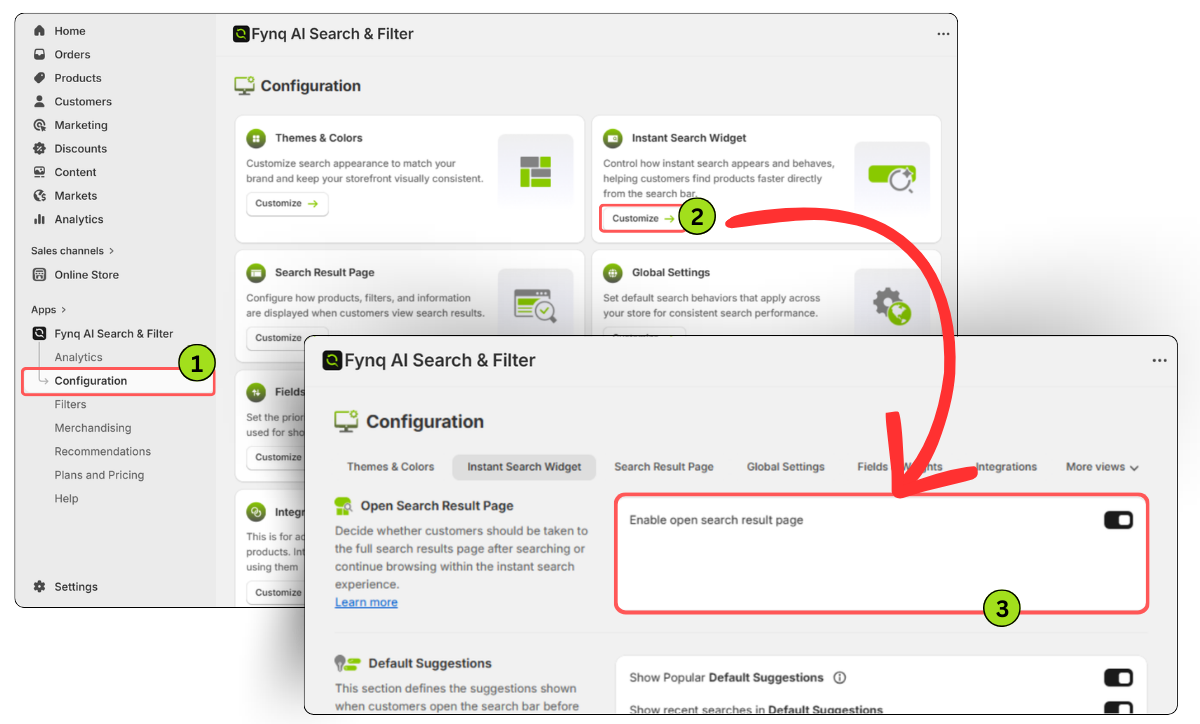
Now, every time a customer searches, the Open Search experience will take over the full page and keep updating live.
Wrap-up
This isn’t just a small tweak; it changes how your customers explore your store. Turning on the Open Search Results Page gives them a faster, smoother way to browse. And when shopping feels this easy, people stick around for a longer time. Choose this setting as per your business niche.
Flip the switch and give your search experience the full-screen upgrade it deserves.
