 Fynq
Fynq What is Legacy Search Bar for Instant Search Widget & When to Use?
What Is the Legacy Search Bar?
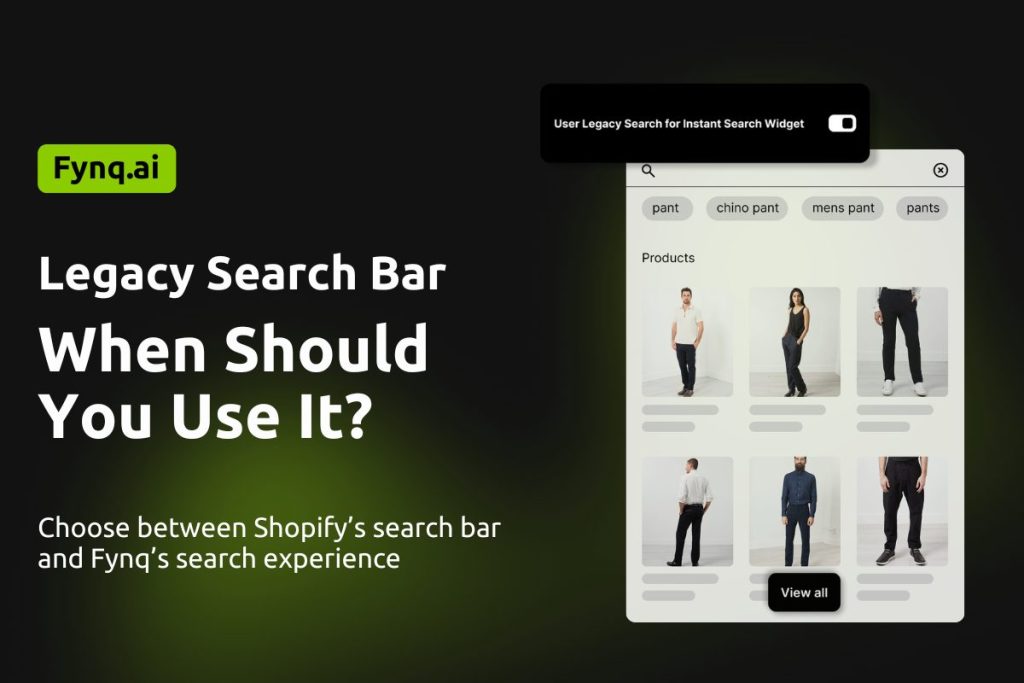
The Legacy Search Bar means using Shopify’s default search bar to display the Instant Search Widget.
When this option is turned ON, your store goes back to the search bar provided by Shopify. Fynq then shows its Instant Search Widget on that search bar.
When this option is turned OFF, your store uses Fynq’s own search bar (provided you installed Fynq and activated it on your storefront)
Here’s the guide on how to activate Fynq: How to enable app embed blocks
Where Can You Find the Legacy Search Bar Setting?
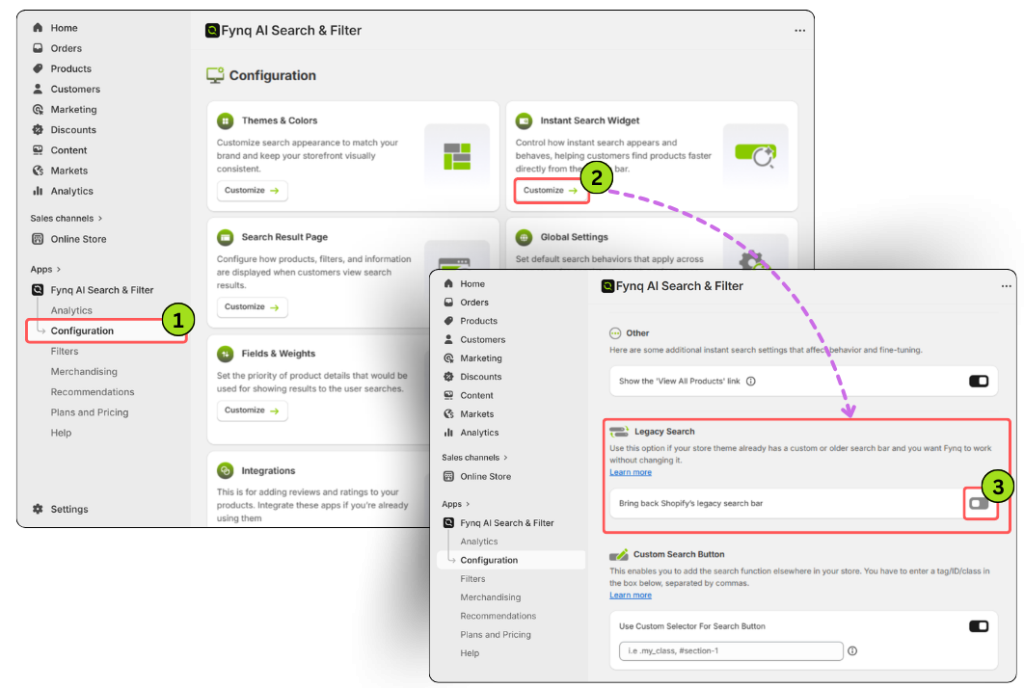
You can find this option in your Fynq dashboard.
Go to:
Fynq Image & Search AI → Configuration → Instant Search Widget
Scroll to the bottom of the page, and you will find Legacy Search. Switch on the toggle called: Bring back Shopify’s legacy search bar
What Happens When the Toggle Is OFF?
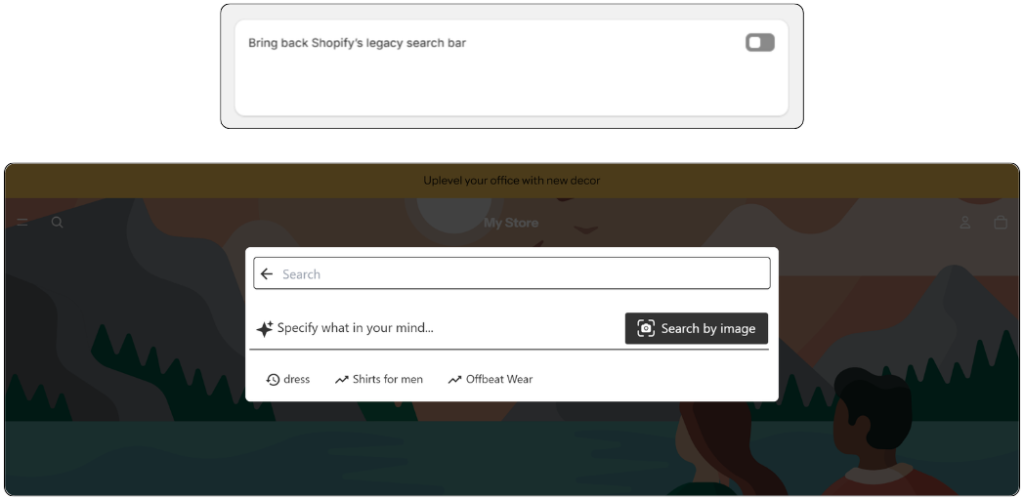
This is the default behavior.
When the toggle is OFF, and Fynq is active on your storefront:
- Fynq’s own search bar is used
- Customers click the search icon, and Fynq’s search bar opens
- The Instant Search Widget appears inside Fynq’s search bar
This option is ideal if you prefer Fynq’s search design and flow.
What Happens When the Toggle Is ON?
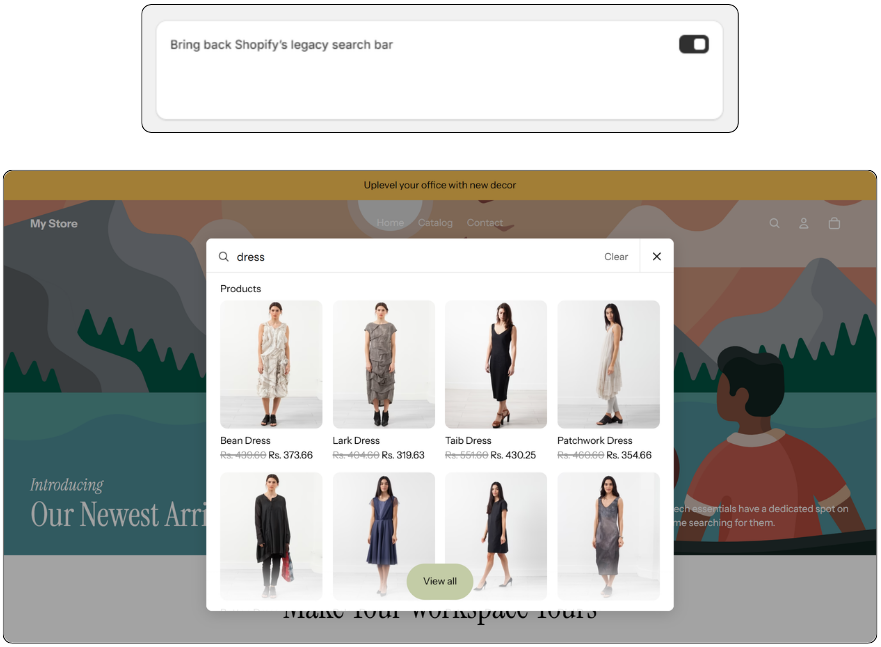
When you turn the toggle ON, the experience changes visually.
- Fynq’s search bar is removed
- When customers click the search icon, Shopify’s search bar opens
- Fynq shows the Instant Search Widget on Shopify’s search bar
- Search results remain exactly the same
This option is helpful if your theme looks better with Shopify’s default search bar.
Why and When Should You Use This?
This setting only changes how the search bar looks and opens. It does not change how search works or the instant search widget appears.
You may turn it ON if:
- You want to use Shopify’s native search bar
- Your theme design fits better with Shopify’s search layout
- You want a more familiar search experience for customers
You may keep it OFF if:
- You prefer Fynq’s search bar design
- You want more simplicity with Fynq.
- You want the search bar to have the same color as the instant search widget has.
Fynq supports all Shopify themes in both cases.
Does This Affect Search Functionality?
No. Turning this setting ON or OFF does not affect Instant Search results or features.
The change is only visual and related to the presentation.
How to Use This Setting
- Open Configuration in your Fynq
- Find the tab ‘Instant Search Widget’ and click on it.
- Scroll to the bottom of the page
- Toggle ‘Bring back Shopify’s legacy search bar’ ON or OFF – as per your requirement.
- Save your changes
- Refresh your storefront to see the update
What We Recommend for Your Store
Every store looks different. We recommend trying both options one by one and seeing which search bar fits your store best. Just remember to refresh your storefront after each change.
