 Fynq
Fynq How To Connect Review & Ratings App to Fynq for Smarter Product Sorting?
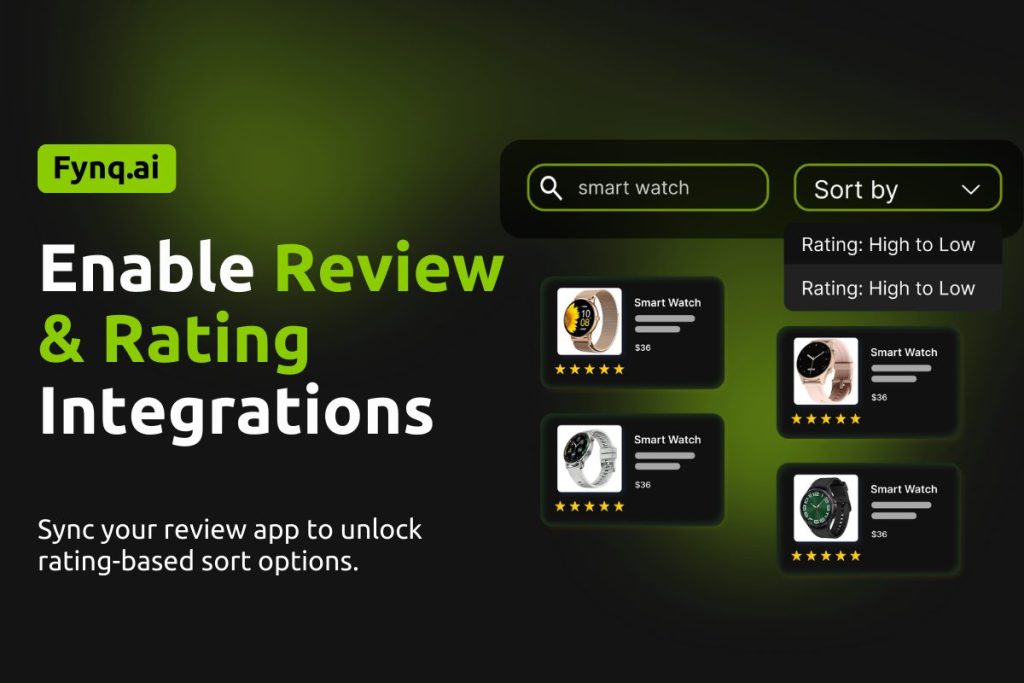
Product reviews don’t just build trust; they influence buying decisions. When a shopper is searching your store, seeing top-rated products first can boost confidence and speed up their path to purchase.
That’s why Fynq lets you integrate directly with popular Shopify reviews apps. Once connected, you can enable sort-by options based on product ratings and review counts that help customers discover your best-performing products first.
What does the Integration section in Fynq do?
The Integration section allows Fynq to access your product review and rating data. This unlocks the following smart sort-by filters on the search results page:
- Rating: High to Low
- Rating: Low to High
- Total Reviews: High to Low
- Total Reviews: Low to High
To make this work, Fynq needs permission to sync with your installed review app. This is what this section is all about.
Supported apps:
- Judge.me Reviews
- Loox Reviews
- Yotpo Product Reviews
Where to set this up in Fynq?
- Open the Fynq Image & Search AI app
- Go to Configuration section
- Click on the Integration tab
- Now you’ll land on Reviews & Ratings
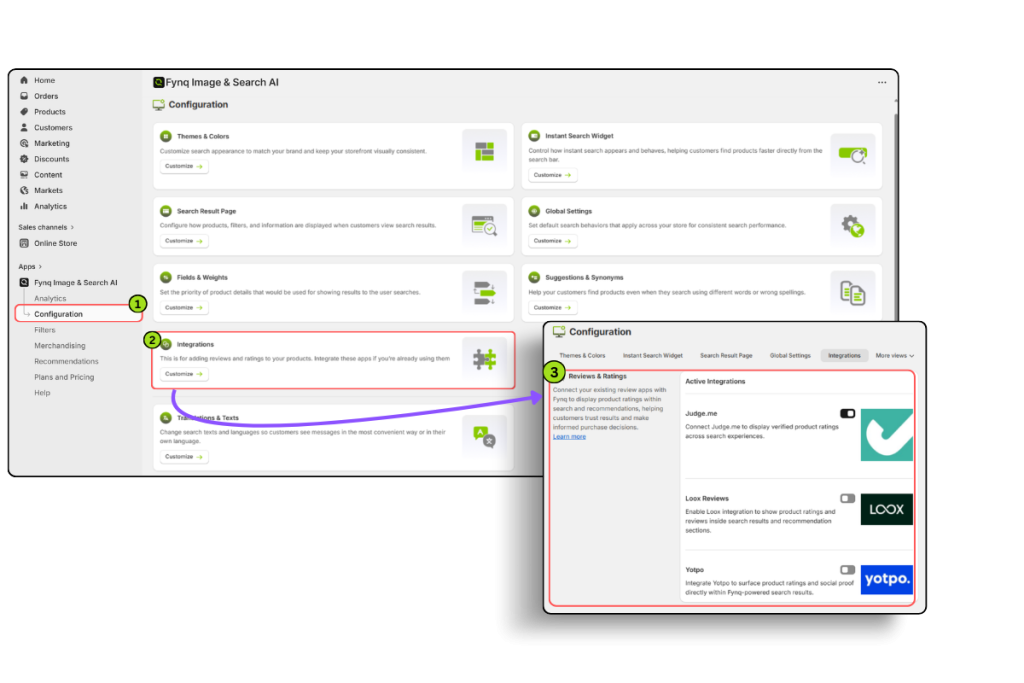
You’ll now see the options to connect with Judge.me, Loox, and Yotpo.
How to enable the Integrations?
Let’s go through each of the three options and how to activate them on Fynq:
Please Note:
You should first install these apps (which one you would like to use) on your store. Then only, you can add those apps from Shopify settings’ App Block, in other words, activate those apps from settings. Then only, the following steps will work.
1. Judge.me Product Reviews
- Simply toggle the switch ON at the right side
- No additional setup needed.
Once turned on, Fynq will start syncing review data from Judge.me to enable rating-based sorting.
2. Loox Reviews
- Toggle the switch ON just like Judge.me
- No extra steps required
Loox integration works instantly once the toggle is activated.
3. Yotpo Product Reviews
This one takes a few more steps because you’ll need to share your App Key.
How to find your App Key:
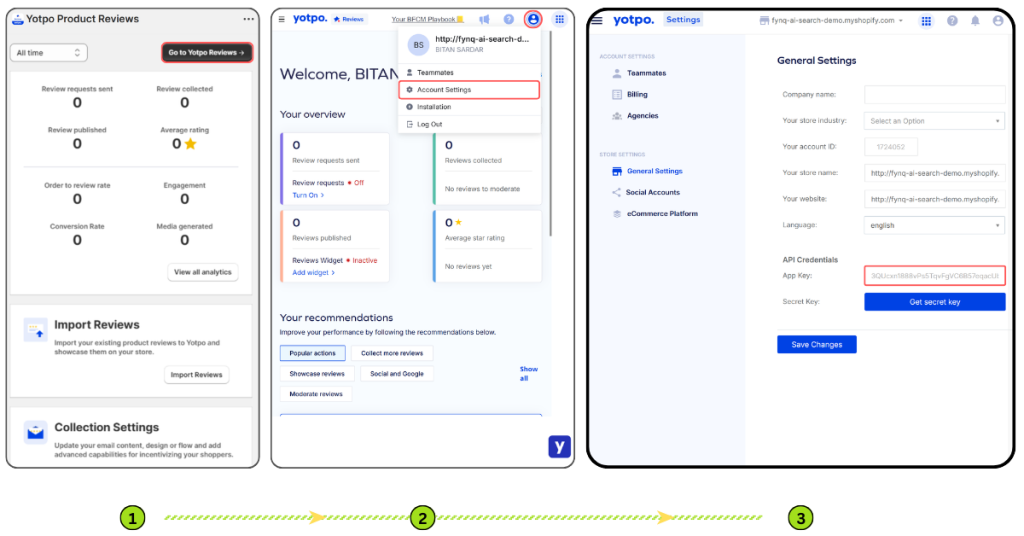
- Go to the Yotpo Product Reviews App in your Shopify Admin
- Click Go to Yotpo Reviews at the top right. A new page opens: https://reviews.yotpo.com/#/home
- Click your Profile Icon in the top right corner
- Select Account Settings
- On the General Settings page, find the App Key under API Credentials
- Copy this key
How to connect it to Fynq:
- Return to Fynq > Configuration > Integration tab > Reviews & Ratings
- Toggle Yotpo ON
- Paste your App Key into the box provided
- Click Test Integration
- It should show “Verified” once connected successfully.
Can I enable multiple review apps at once?
Yes, you can toggle ON more than one app at the same time. But you’ll need to select one app as your primary source for reviews and ratings.
At the top-right of the Integration section, you’ll find a dropdown menu where you can choose your priority app.
This helps Fynq decide which data to use for sorting when multiple sources are available.
What happens after integration?
Once your app is connected and active, Fynq will begin using that data to reorder products on the Search Results Page when users choose one of the new rating-related sort options.
For example:
- Choosing Rating: High to Low will show your best-reviewed products first
- Choosing Total Reviews: High to Low will push popular products with more feedback to the top.
This makes your search smarter and more relevant, based on real customer trust.
Wrap-up
Review and rating integrations help shoppers find trustworthy products faster. With just a few clicks, you can connect your existing reviews app and start using rating-based sort options in your storefront search.
Whether you use Judge.me, Loox, or Yotpo, Fynq makes it simple to link and optimize.
Set it up once, choose your priority app, and let Fynq surface your highest-rated products at just the right moment.
