 Fynq
Fynq What Are Product Labels and Why They Matter in Selling?
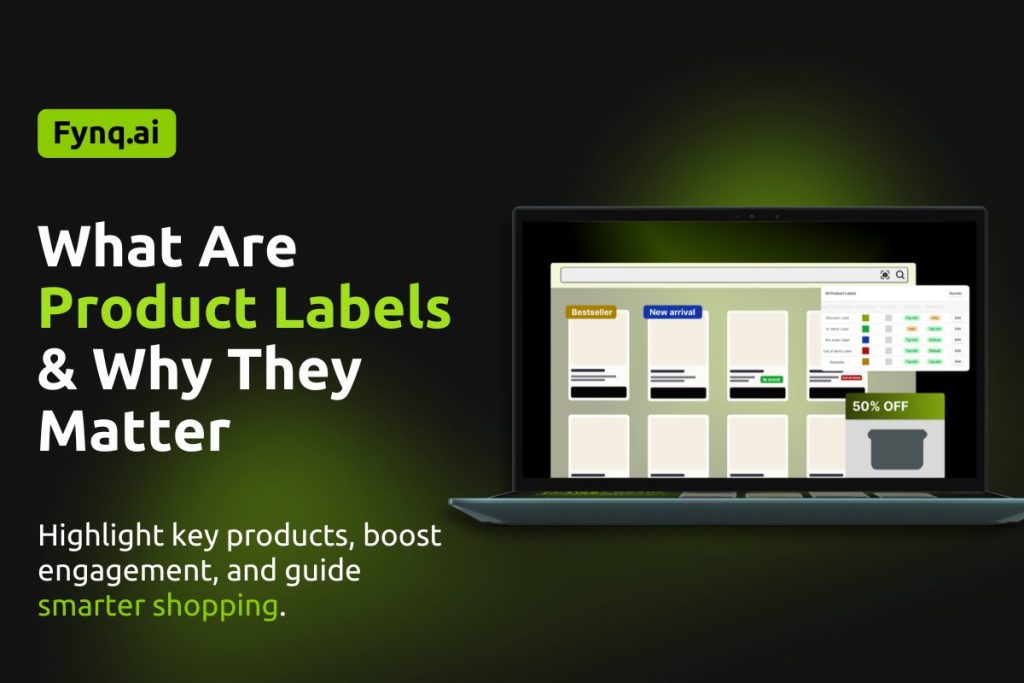
Product labels, the first kind of merchandising strategy, are for highlighting the key selling points of specific products or specific collections. It’s a small but powerful way to guide your shoppers, that boosts conversions. With just a few words like ‘New Arrival’, ‘Limited Stock’, or ‘40% Off‘, you can draw attention to specific products and create urgency, transparency, or excitement in your store.
If you’re running a Shopify store, product labels help your customers make quick decisions while browsing through the search results page. They act like visual cues, helping shoppers spot the best deals, popular items, or important updates about the product without reading through all the details.
What Are Product Labels?
Product labels are text or image-based markers that appear on your product cards, typically styled with a background color and placed primarily in a corner of the product card or just besides the Price. These merchandising labels provide helpful context to your customers and can encourage them to take action.
Some common examples of product labels include:
- Bestseller – Signals high demand and popularity
- New Season – Promotes new arrivals
- Limited Stock – Creates urgency
- 50% Off or Discount – Highlights deals and promotions
- Pre-order or Coming Soon – Manages product availability
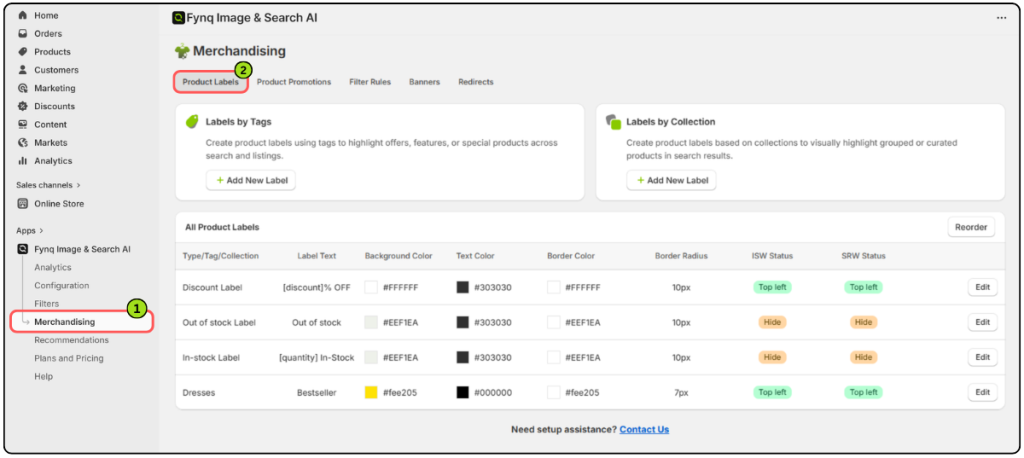
Labels can improve the overall browsing experience and are especially useful when customers are filtering or scrolling quickly. This creates a special space for the product in the eyes of potential customers.
Please note: Product Labels is the only merchandising in Fynq available for stores with Free and Basic tier plans.
Why You Need Product Labels
Don’t be mistaken by considering Product labels as just decoration. They improve the user experience and consequently boost engagement. When used strategically, they:
- Highlight key products your customers should see first
- Build trust by showing transparency (like “Out of Stock”)
- Drive urgency through time-sensitive messages (“Last Few Left”)
- Increase conversions by drawing attention to promotions or exclusives
- Exhibit special features of a product from the bulk of options
When combined with Fynq’s intelligent search and filtering, product labels turn your storefront into a guided shopping experience that’s fast, informative, and conversion-friendly.
How Are Labels Added in Fynq?
In Fynq, product labels are assigned using two main methods:
1. Labels by Tags
You can assign labels by tagging your products in Shopify. For example, you can add a tag to certain products with the “bestseller” tag, then come to the Product labels section in Fynq and add Labels with the pre-added tags.
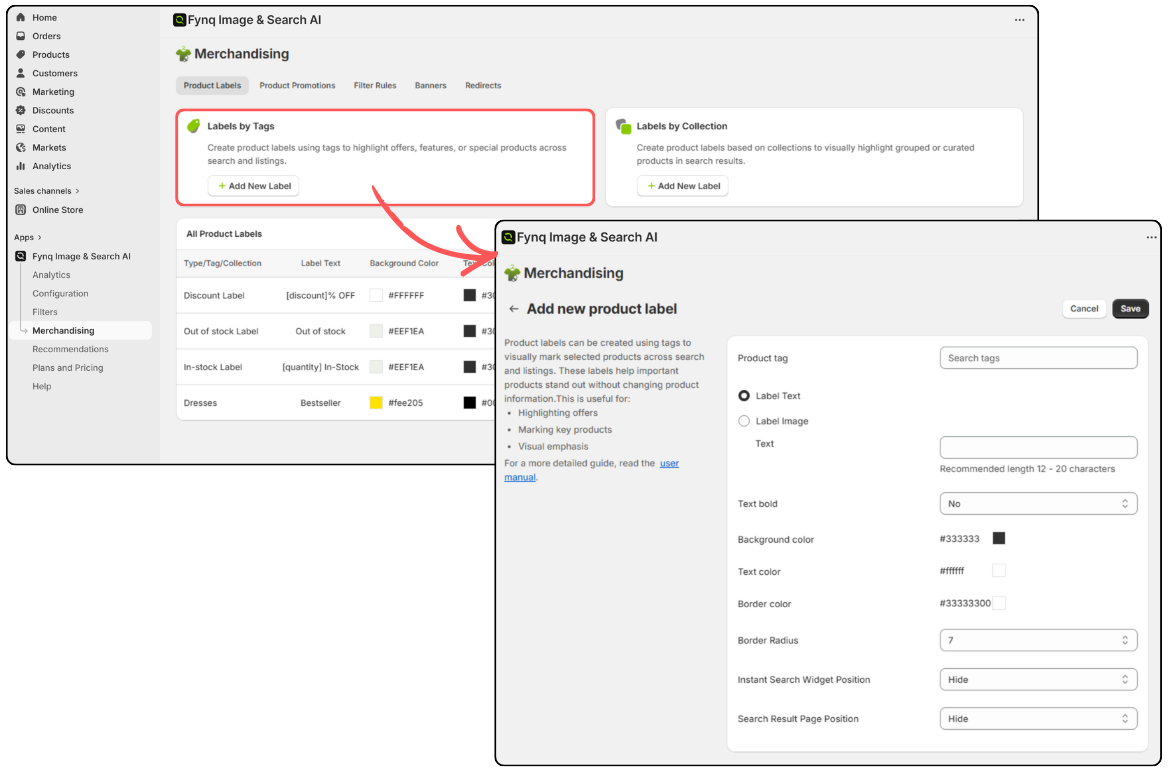
Learn how to do this in the next article: How to create labels using tags
2. Labels by Collection
You can also create labels based on product collections. You can apply labels to entire groups of products, for instance, all items in a “Summer Sale” collection that you created earlier in the Shopify admin.
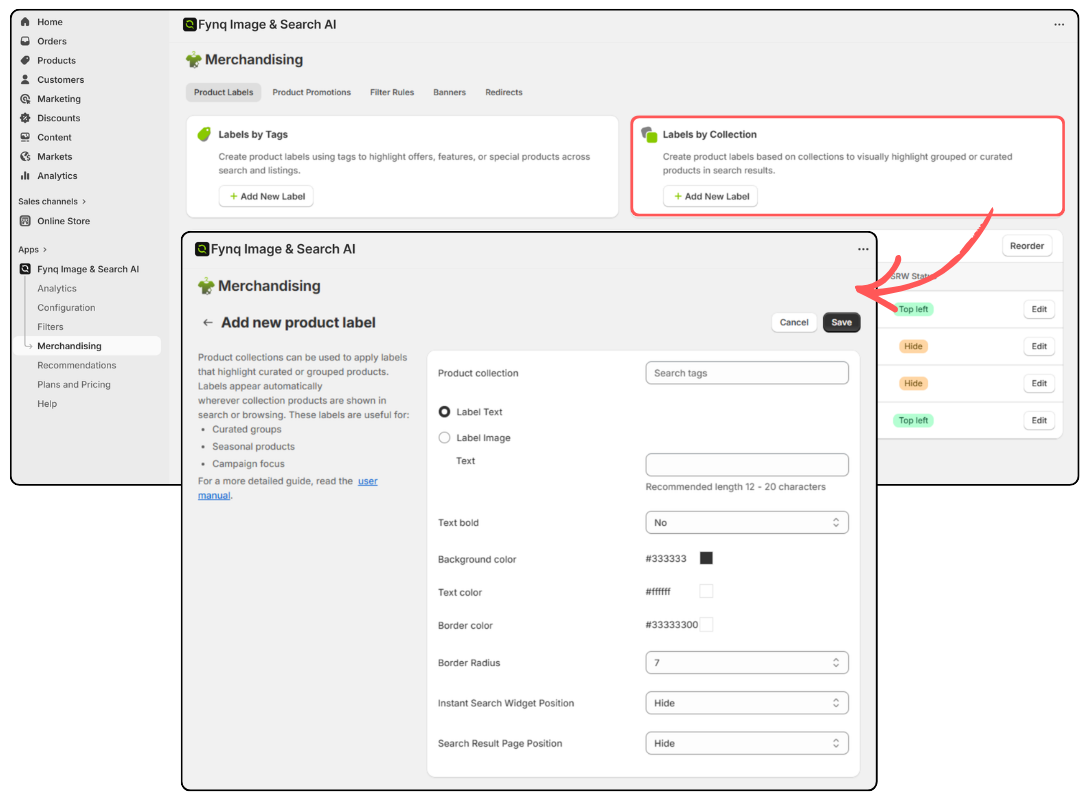
This is useful for bulk labeling, especially during seasonal campaigns.
Learn how to do this in: How to create labels using collections
Final Thoughts
Product labels may seem like a small feature of merchandising, but they have a big impact on how customers choose a product from your store. You, as a merchant, should utilize this feature from Fynq to enhance your customer’s product finding experience. These product labels actually clearly communicate what’s special, new, or urgent about a product. This way, you are actually helping your shoppers make faster, and more confident decisions.
If you have already installed Fynq in your store, use this amazing feature in your store. Go through the next article to get a clear guide on how to add Product Labels.
