 Fynq
Fynq How to Set up Image Search in Fynq?
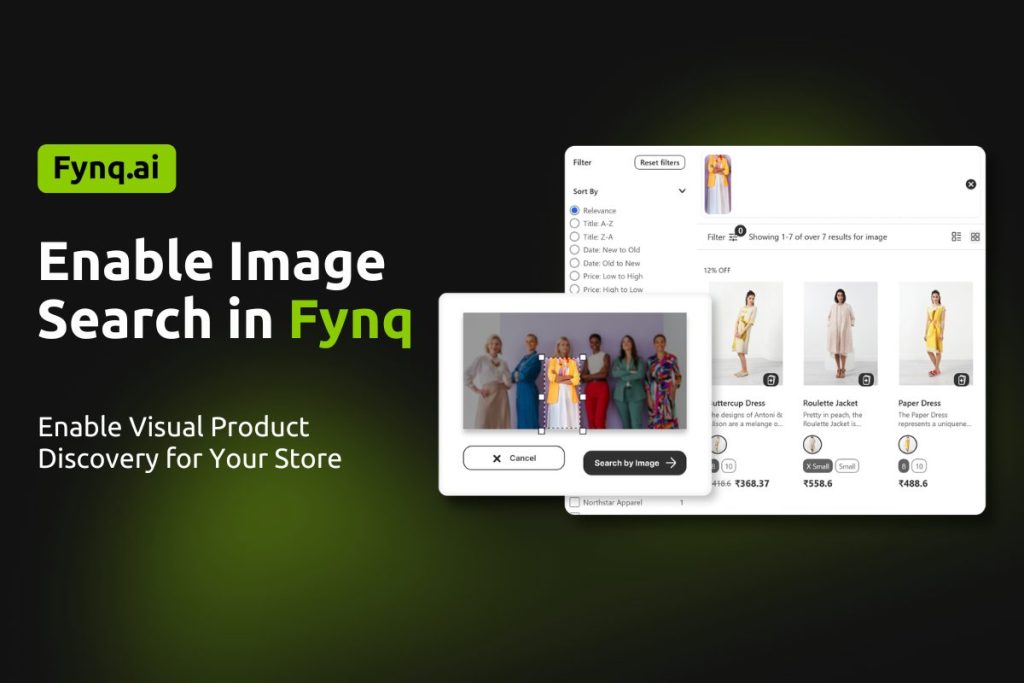
Image Search lets shoppers find products by uploading an image instead of typing keywords. Fynq analyzes the image and shows visually similar products from your store, making product discovery faster and more intuitive.
This feature is useful when shoppers do not know the product name but know how it looks.
How Image Search Works on Storefront
Once enabled, shoppers will see an image upload option in the search interface. They can upload an image or take a photo, and Fynq will return matching or similar products from your catalog.
The results depend on your product images, so clear and accurate product images give better matches.
How to Enable Image Search
- Fynq App → Configuration (left menu)
- Open the Image Search section in Global Settings
- Come to the first setting option “Show image search button/ icon” and toggle this ON.
- Save your changes.
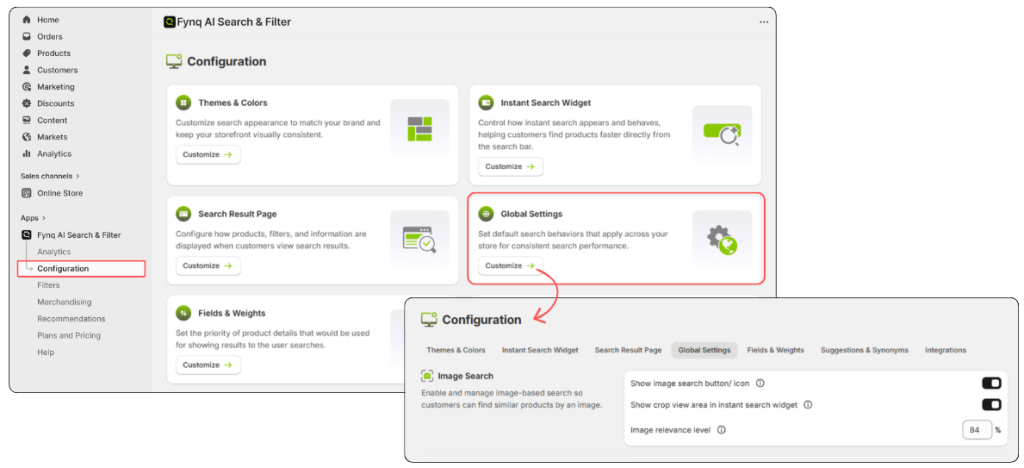
After saving, Image Search will be active on your storefront search. In future, turn it OFF if you do not want shoppers to use image-based search.
Please understand, Products without images may not appear in image-based results. Image Search relies on product images to find visual matches.
How to Show Crop View Area in Instant Search Widget
Enable the toggle to show a crop view when a shopper uploads an image in the instant search widget.
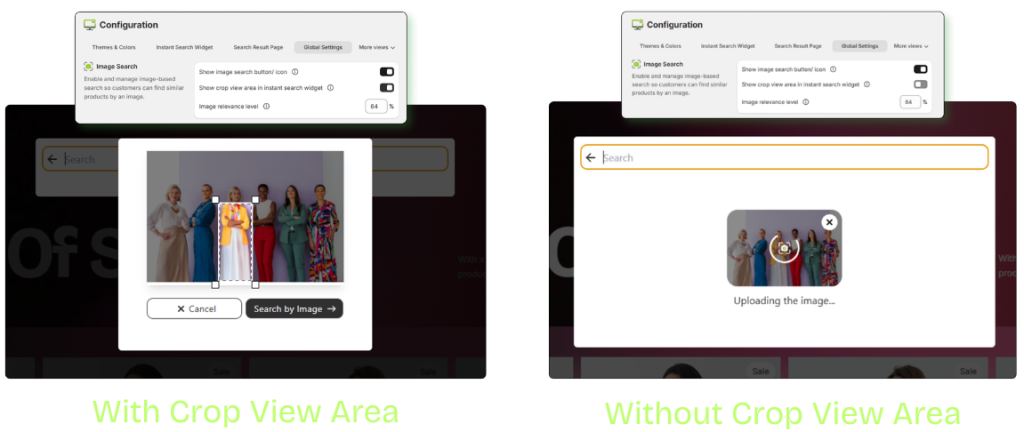
What Impact It Brings
This setting controls whether shoppers can crop or adjust the uploaded image before searching. The crop view helps shoppers focus on the exact product area they want to search for. This improves matching accuracy and reduces irrelevant results, especially when the image contains multiple objects.
Can You Customize Image Relevance Level?
This setting defines how closely the search results should match the uploaded image.
How to Use
Adjust the relevance level using the percentage value.
A higher value means stricter matching, while a lower value allows broader visual similarity.
What Impact It Brings
Higher relevance shows fewer but more accurate results.
Lower relevance shows more results with wider visual similarity.
You can fine-tune this based on how specific or flexible you want the image search results to be.
Image Search makes product discovery easier by allowing shoppers to search using images instead of words. By enabling and adjusting these settings, you can control visibility, accuracy, and overall search experience to suit your store’s needs.
