 Fynq
Fynq How Fynq Interacts with Your Shopify Theme (without Breaking Anything)
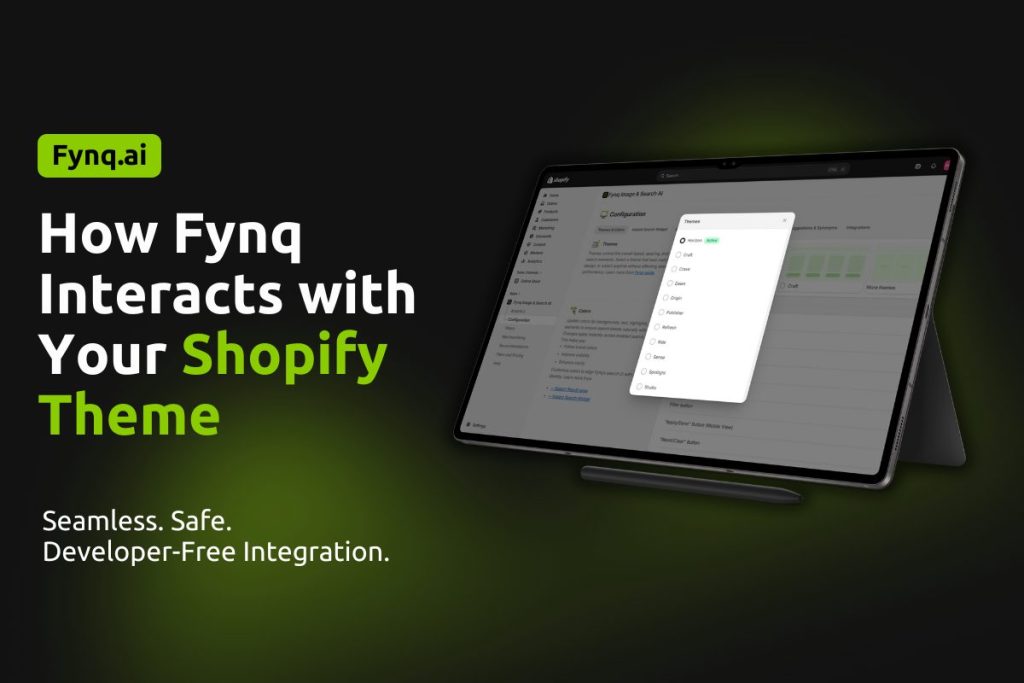
If you’re worried that installing a third-party app like Fynq might mess with your beautifully built Shopify theme, this article is for you to let you know how we work. This is a common concern among merchants, especially those with custom designs or premium themes.
You would love to hear this. Fynq was made to plug into your Shopify theme without changing your existing code or layout. Yes, it uses Shopify’s latest integration tools, so everything stays clean, safe, and under your control.
In this article, we’ll walk you through exactly how Fynq fits into your theme, what parts of your storefront it touches, and how you can manage everything from the admin.
Table of Content
- What Fynq Adds to Your Theme & How It Works
- What About Custom Shopify Themes?
- SEO and Performance Considerations
What Fynq Adds to Your Theme & How It Works
Fynq works through components called widgets. These are small, self-contained tools that add new features without interfering with your existing design.
Here are the key widgets Fynq adds:
1. Instant Search Widget
A pop-up search bar that shows real-time results, suggestions, and filters while the user is typing. Your customers can view all products or choose a particular product from the results shown.
Useful for:
- Reducing bounce rates
- Helping customers find products instantly
- Handling typos or vague queries with smart fallback content
Where to control it:
Configuration > Instant Search Widget
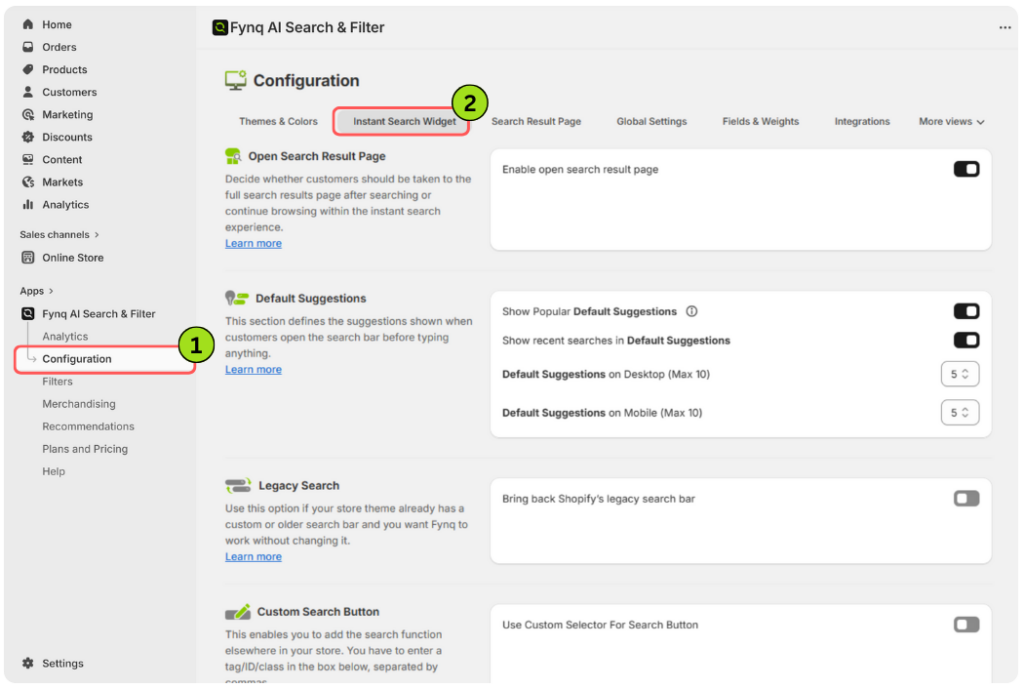
Learn more about Instant Search Widget settings here.
2. Search Results Page
A customizable page that displays full search results, with filters and sorting options.
Useful for:
- Creating branded search experiences
- Helping customers browse in-depth product lists
- Controlling how “no result” messages appear
Where to control it:
Configuration > Search Result Page
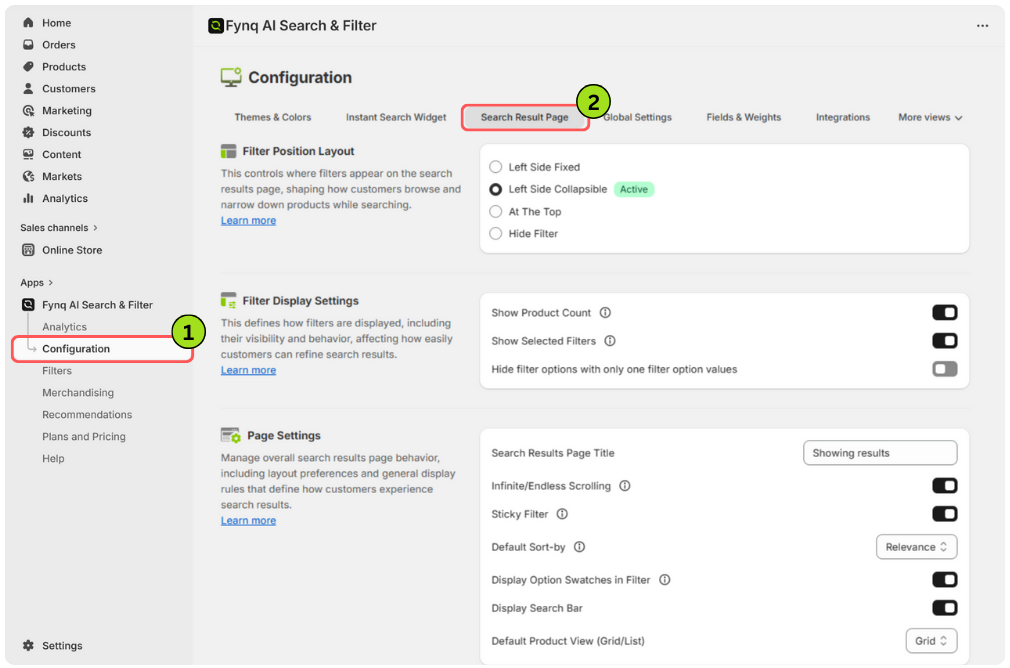
Learn more about Search Results Widget Settings here.
3. Smart Filters
Filter panels appear on both collection and search result pages. They can be built using product tags, options, metafields, or custom values.
Useful for:
- Narrowing results quickly
- Organizing large catalogs
- Supporting multi-layered filter logic (e.g., by color, size, style)
Where to control it:
Filters > Filter List
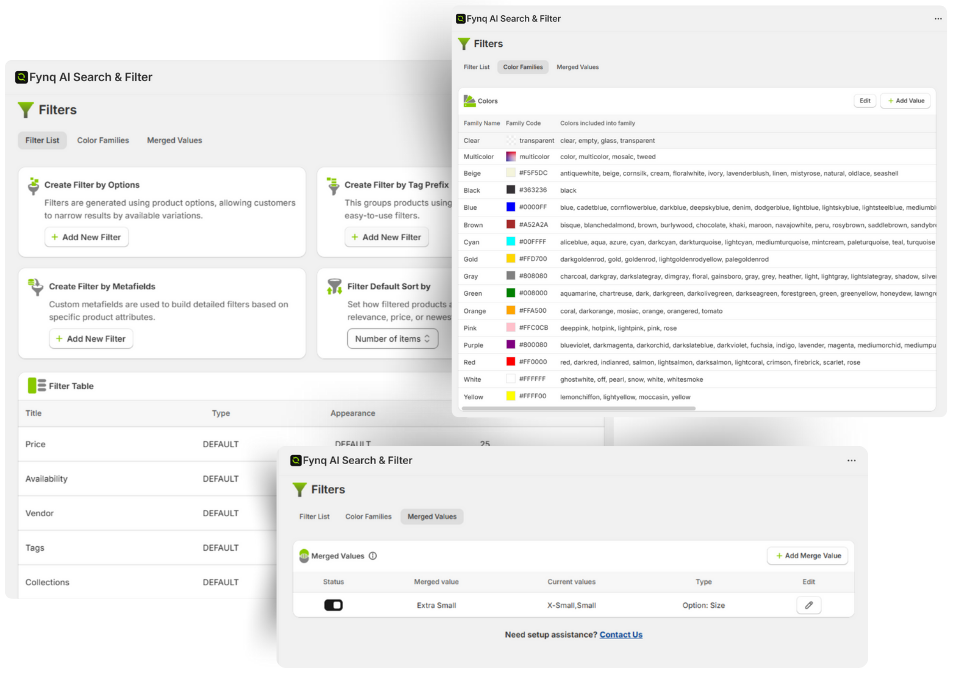
This is how it looks when apply Fynq AI’s filter on your store front:
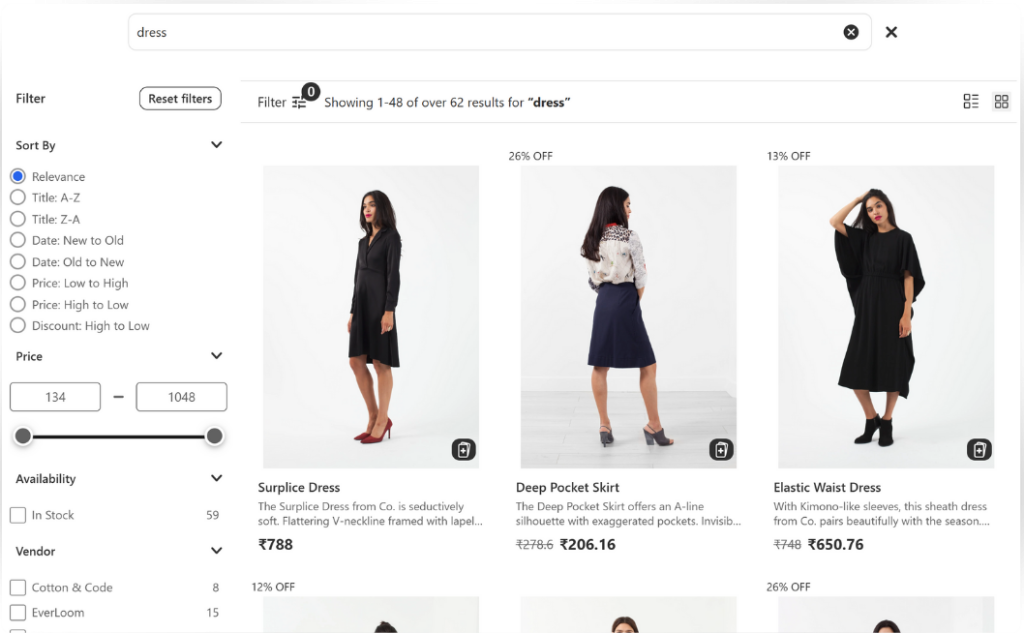
Learn more about applying filters on search results, click here.
4. Product Labels and Recommendations
These visual highlights and suggestion blocks appear over product cards or alongside results.
Useful for:
- Promoting bestsellers, back-in-stock items, or discounted products
- Boosting cross-sell and upsell performance
Where to control it:
- Merchandising > Product Labels
- Recommendations
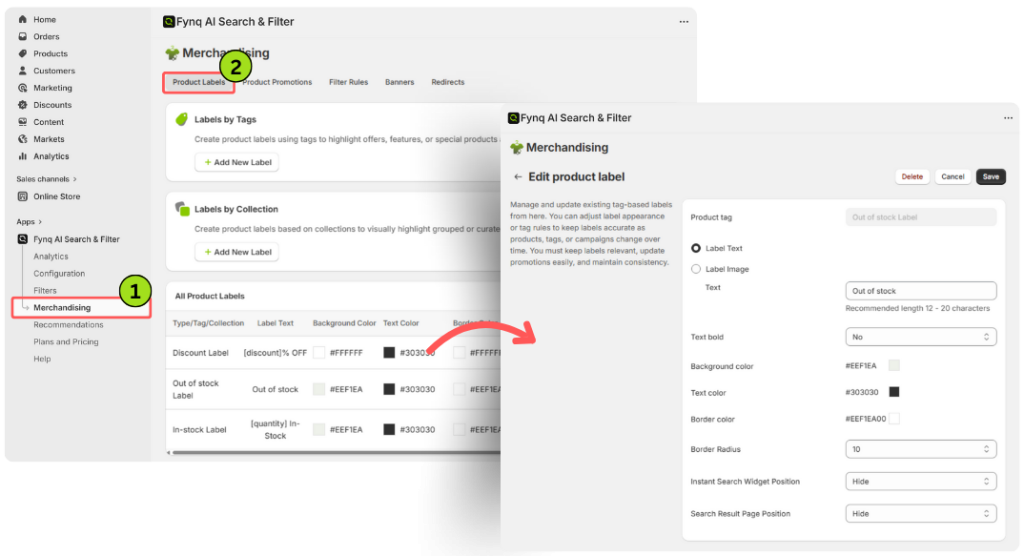
Learn more about product labels and its functions, click here.
Recommendations > Choose the product > Edit Recommendation
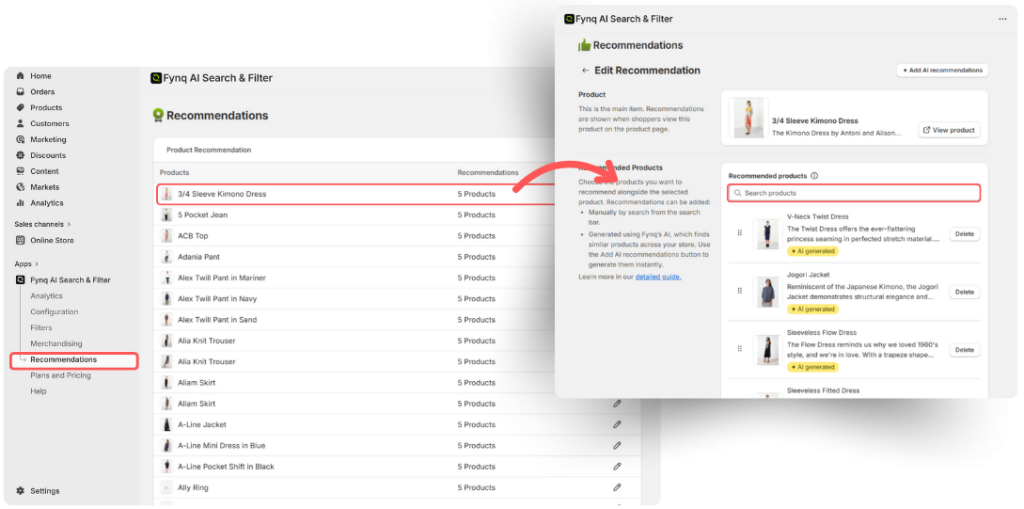
Learn more about product recommendation and its functions, click here.
What About Custom Shopify Themes?
Fynq is built to work with most Shopify themes out of the box, including custom ones. If your theme has heavily modified layouts or search logic, you might need small adjustments, which Fynq’s support team can help you with.
Good to know:
- You don’t need to edit Liquid files or templates.
- You can preview changes using an unpublished theme before going live.
- If you’re using a headless setup or third-party builders, contact support for special cases.
SEO and Performance Considerations
Because Fynq loads asynchronously (in the background), it won’t slow down your site or interfere with Shopify’s SEO-friendly structure, rather it’ll solve the Shopify SEO problems.
You can even:
- Customize search result page meta contents in the admin.
- Control fallback content to avoid empty pages.
- Keep your HTML structure clean for accessibility and indexing.
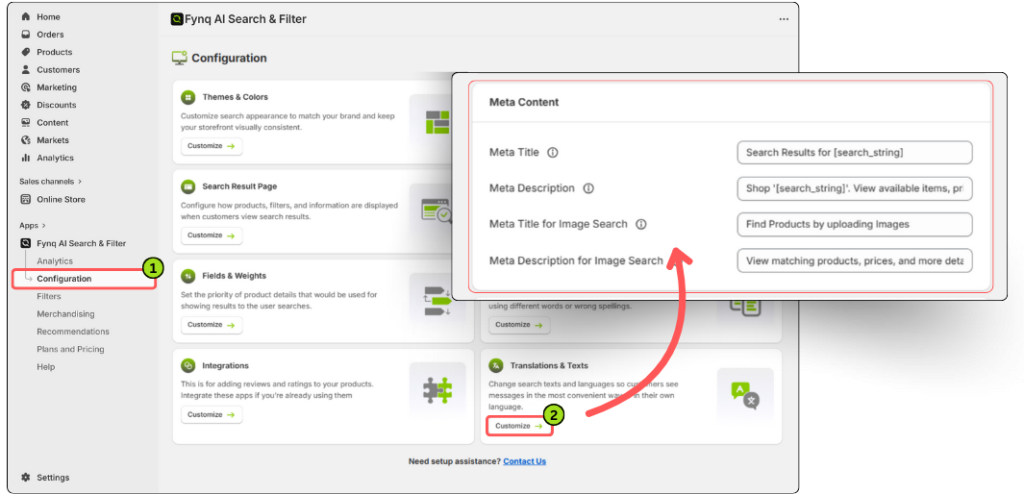
Learn more about editing Meta content, click here.
Final Thoughts: Safe, Flexible, and Built for Shopify Merchants
To sum it up: Fynq doesn’t replace your theme, it enhances it. You don’t need to worry about your design breaking, pages looking odd, or having to call a developer every time something changes.
Once you install and activate the app embed, you’re ready to start customizing everything from filters to recommendations — all from the Fynq admin dashboard.
Fynq keeps your design safe, your performance strong, and your store experience smart.
