 Fynq
Fynq How to Optimize Meta Titles & Descriptions for Your Search Result Page
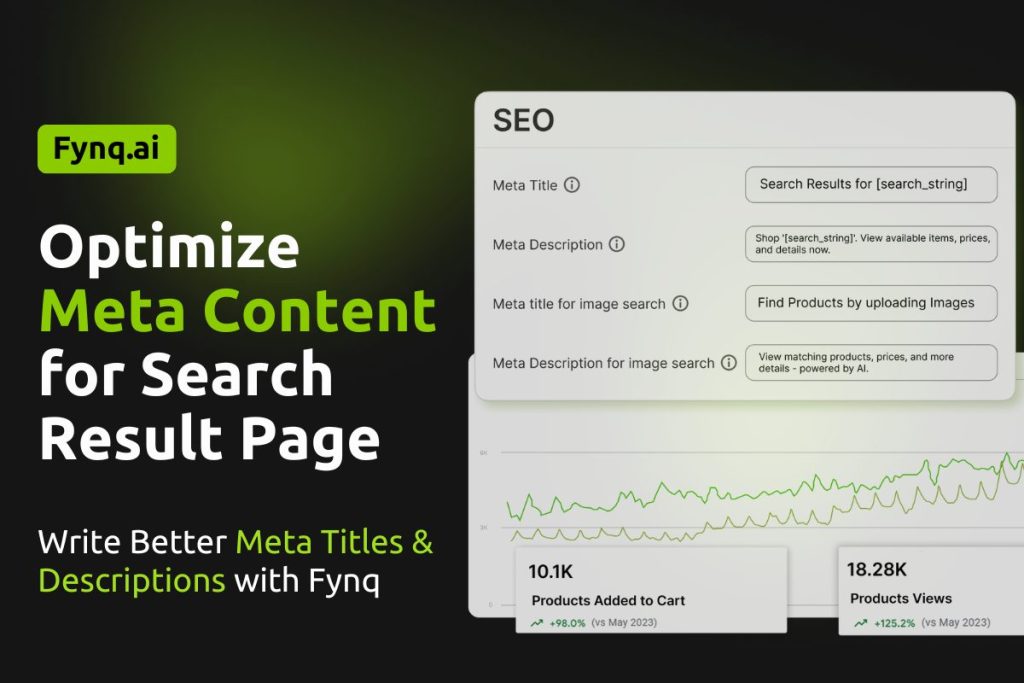
If you want your search result pages to show up better in Google and bring more shoppers to your store, optimizing the meta content is a simple but powerful step. This guide will help you understand what meta content is, why it matters for SEO, and how to update it easily inside Fynq.
Good meta titles and descriptions tell search engines exactly what your page is about. Moreover, this meta content makes your store look professional in search results
What Is Meta Content for the Search Result Page?
Meta content is the title and description that search engines (like Google or Bing) read to understand your page. It’s also what users see when your page shows up in search results.
Even though your Search Result Page isn’t a fixed page like a homepage or product page, search engines can still index it, especially if shoppers are using filters or search queries that generate unique URLs.
That’s why it’s important to write clear, helpful, and keyword-friendly meta content for this part of your site.
Where to Edit Meta Content in the Fynq App
To update your search result page’s meta title and description, follow this path:
Fynq Image & Search AI → Configuration → Translations & Texts → Search Result Page → Meta Content
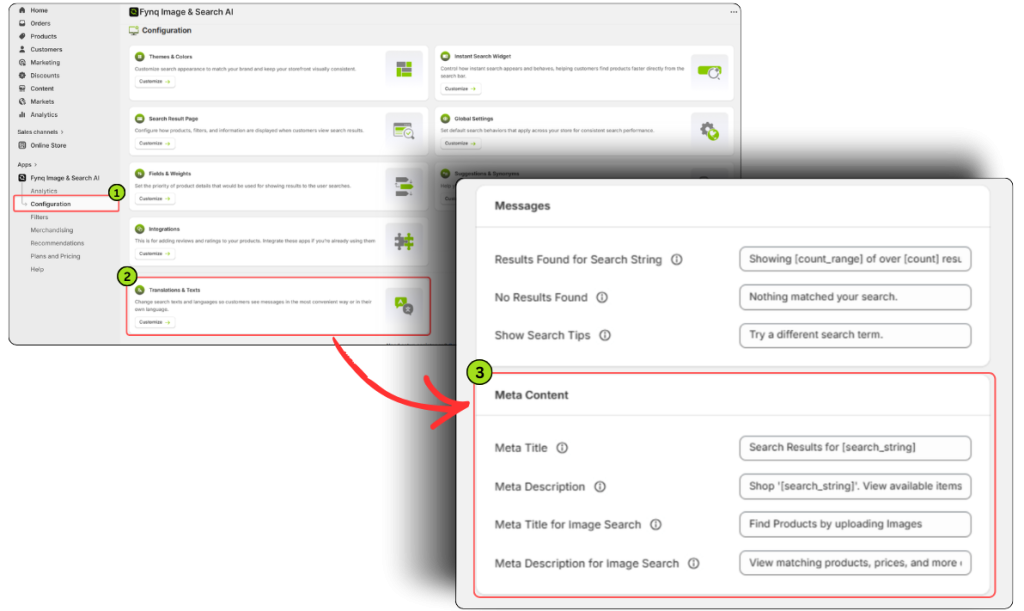
Inside the Meta Content section, you’ll find four fields you can customize. Each one controls how your search result pages are described to search engines and to users.
1. Meta Title
This is the clickable blue link that shows up on search engines.
- Use simple and relevant wording like:
“Search Results for [search_string] | YourStoreName” - Keep it under 60 characters so it displays fully.
- Be sure to include a relevant keyword if possible.
NB: You can only use the variable ‘[search_string]’ here in the meta title. This will automatically pull in the user’s live search input, making the content dynamic and relevant for every query.
Suppose, if a shopper searches for ‘green bag’, and you have set the meta title as “Search Results for [search_string]”, the meta title of the search result page will be ‘Search Results for green bag’.
2. Meta Description
This appears just below the title on search engine listings.
- You can write something like:
“Explore our top results for [search_string]. Discover quality products that match your search.” - Keep it under 150–160 characters.
- Try to highlight value or relevance.
NB: You can only use the variable ‘[search_string]’ here in the meta description too. This will automatically pull in the user’s live search input, making the content dynamic and relevant for every query.
Suppose, if a shopper searches for ‘green bag’, and you have set the meta title as “Explore our top results for [search_string]. Discover quality products that match your search.”, the meta title of the search result page will be “Explore our top results for green bag. Discover quality products that match your search.”
3. Meta Title for Image Search
This title appears when the search query is run through the image-based search interface (if your store uses visual search).
Similar to the standard meta title, just make it more visually context-aware.
Example: “Image Search Results | YourStoreName”
4. Meta Description for Image Search
This description is shown for image search-based results.
- Good example: “Browse items that visually match the uploaded image. Fast results powered by Fynq AI.”
- Again, try to include search relevance and store value.
NB: You can use the variable [search_string] in your meta titles and descriptions. This will automatically pull in the user’s live search input, making the content dynamic and relevant for every query.
Final Thoughts
Updating your meta content for the Search Result Page is a small task that can deliver strong SEO benefits. With clear titles and descriptions, especially ones that include the [search_string] variable, you make your store’s pages more clickable, more understandable, and more likely to be found by new shoppers.
Take five minutes to review your meta fields in the Fynq app. A few good words here can go a long way in boosting your store’s visibility.
