 Fynq
Fynq How to Customize the ‘No Results’ Message in the Instant Search Widget
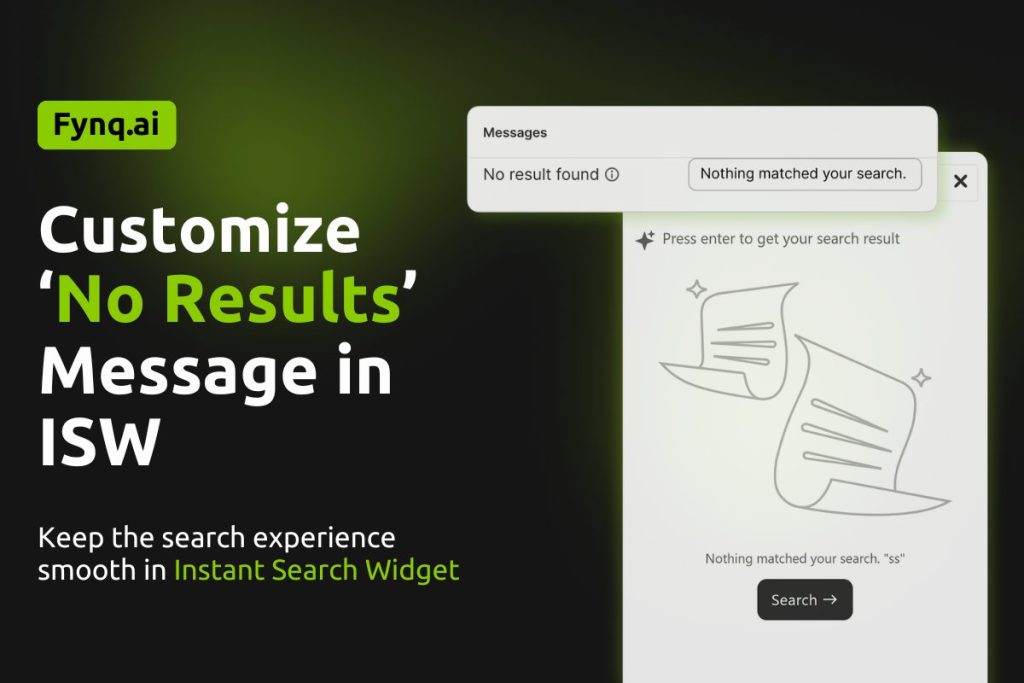
When shoppers search your store, they expect results, and fast. But in rare cases where nothing matches their search, it’s important to show a clear and friendly message. In this guide, you’ll learn how to customize that ‘No Results‘ message in Fynq’s Instant Search Widget, so your shoppers aren’t left wondering what went wrong.
Even though this situation doesn’t happen often, setting the right message ensures your store still feels helpful and professional.
Where to Find the Setting
To customize the message that appears when no product matches the customer’s search input, follow this path:
Fynq Image & Search AI > Configuration > Translations & Texts > Instant Search Widget > Messages
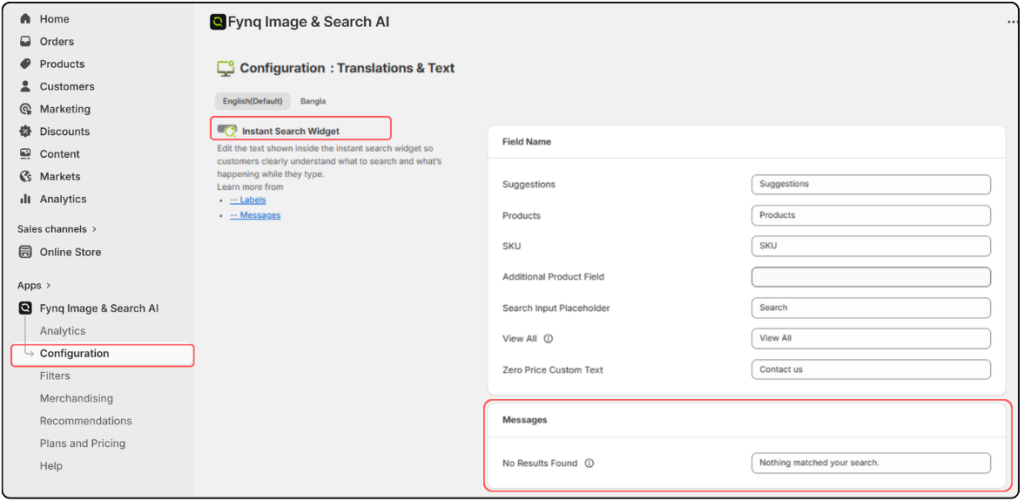
This section is dedicated to messages that appear in your Instant Search Widget, and one of those is for the “no results” scenario.
Why No-Result-Found Message Is Required
This message shows up when someone types something into the search bar, but nothing matches. It’s your chance to reassure the shopper and gently guide them to try again.
You could keep it simple with something like:
“No products found. Try another search.”
Or make it more brand-friendly:
“Oops! We couldn’t find anything. Try a different keyword.”
A good message keeps the experience smooth, even when the results are empty.
Please note,
It’s rare for shoppers to see a “no results” message in the Instant Search Widget. Fynq’s fuzzy search is designed to understand close matches, spelling errors, and variations in search terms.
How to Customize No-Result-Found Message
In the Messages section of the Instant Search Widget settings, you’ll see a text box labeled for the “No Results” case.
- This box comes with a default message.
- You can edit it to match your store’s tone and language.
- Whatever you write here will appear in the widget when no products match the search input.
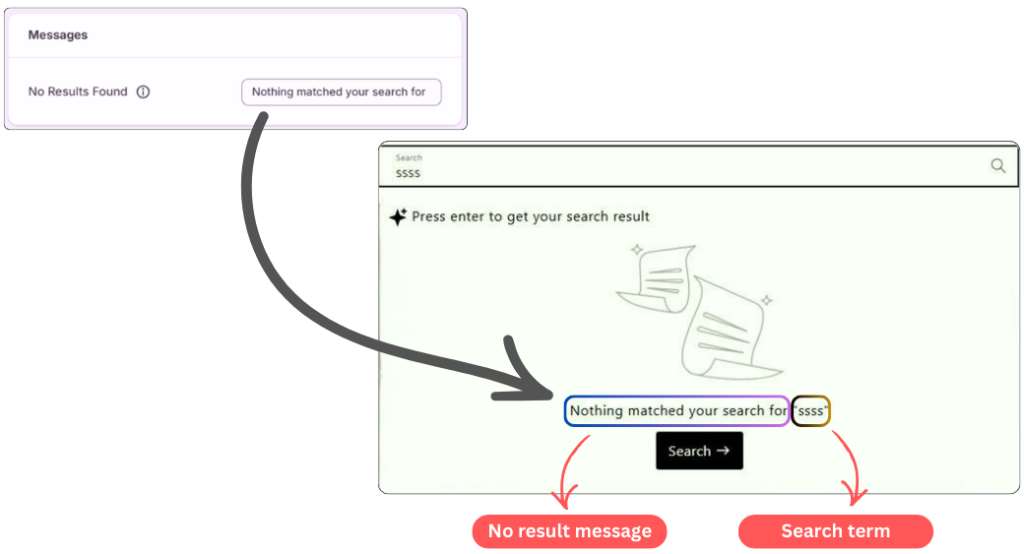
You don’t need to save anything separately, just update the text and your message will reflect instantly on your storefront.
Final Thoughts
Setting a custom “No Results” message might seem like a small task, but it plays an important role in keeping your shoppers engaged. Even in those rare cases when nothing comes up, your store will still feel friendly, clear, and under control.
